Modern Android development

Write Kotlin.Ship Android apps.

The official language of Android — coroutines, Jetpack Compose, Room and a published app on the Play Store by the end of the course.

 4–5 monthsClassroom & online batchesBeginner to job ready
Explore course
4.8/5
Student rating
500+
Students trained
6+
Industry projects
Yes
Placement support
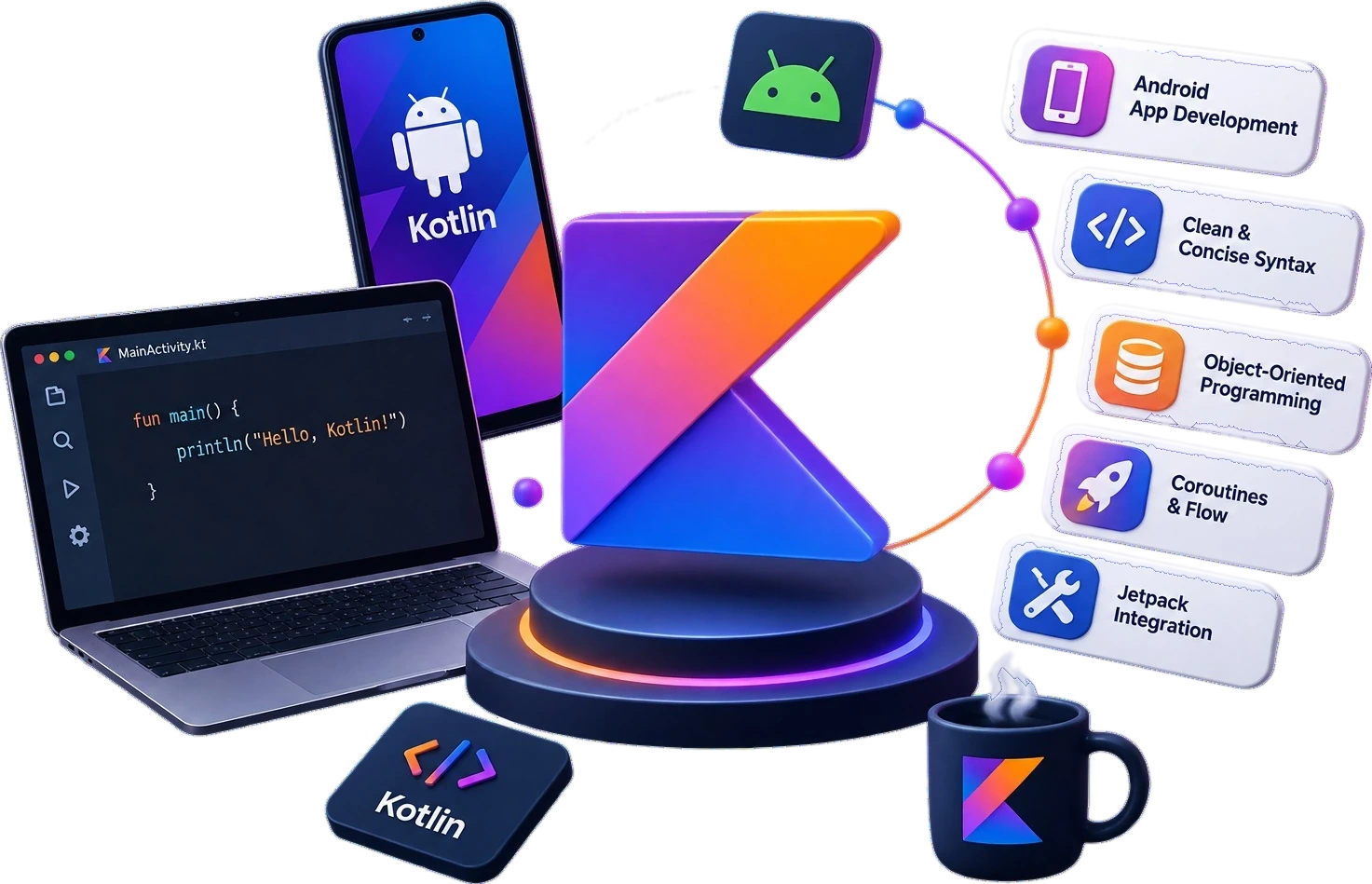
A Kotlin and Android development workspace — Android Studio, an emulator and the tooling the course builds on

Admissions open

Free demo class & counselling

Batch slots

  • Weekday
  • Evening
  • Weekend
Talk to a counsellor

Course overview

The Kotlin course in Ludhiana that ships real Android apps

Looking for the best Kotlin course in Ludhiana to launch a career in Android app development? techcadd’s Kotlin training program is designed for students, graduates, and working professionals who want to master modern app development using Google’s preferred language for Android.

As one of Ludhiana’s trusted Kotlin training institutes, techcadd combines hands-on coding, live projects, and industry-relevant mentorship to help learners go from beginner to job-ready developer.

This Kotlin programming course in Ludhiana covers everything from syntax basics and null safety to object-oriented programming, coroutines, and real Android Studio projects — building apps you can actually showcase in interviews. Whether you’re a 12th-pass student exploring tech careers, a computer science graduate upskilling for placements, or a Java developer switching to Kotlin, this course meets you where you are.

With flexible batch timings, experienced trainers, and placement support, techcadd makes it easy for Ludhiana’s students to build real-world Android development skills without leaving the city — right here in Punjab’s IT training hub.

  • Jetpack Compose from the first UI
  • Real device testing, not just the emulator
  • A published app in your portfolio

Curriculum

A path from first steps to shipped work

5 modules and 28 topics across 4–5 months, in the order they are taught. Each one closes with something that works before the next one opens.

5 learning modules01 / 05
Module 01 · Weeks 1–3

Kotlin Language Essentials

Null safety, immutability and the concise syntax that makes Kotlin different from Java.

Topics covered

  • val vs var
  • Null safety
  • Functions & lambdas
  • Data classes
  • Collections
  • Scope functions

Tools & libraries

  • Kotlin
  • IntelliJ IDEA
  • Git

You finish with

A set of small console programs that use Kotlin idioms rather than translated Java.

Module 02 · Weeks 4–6

Object-Oriented & Functional Kotlin

Classes, sealed hierarchies, extension functions and higher-order functions.

Topics covered

  • Classes & interfaces
  • Sealed classes
  • Extension functions
  • Generics
  • Higher-order functions

Tools & libraries

  • Kotlin
  • Gradle
  • JUnit

You finish with

A modelled domain layer with sealed result types and unit tests.

Module 03 · Weeks 7–11

Android Fundamentals with Compose

The Android lifecycle, navigation and declarative UI built with Jetpack Compose.

Topics covered

  • Activities & lifecycle
  • Composable UI
  • State hoisting
  • Navigation
  • Material 3
  • Theming

Tools & libraries

  • Android Studio
  • Jetpack Compose
  • Material 3

You finish with

A multi-screen app with navigation, state and a design that survives rotation.

Module 04 · Weeks 12–15

Data, Networking & Coroutines

Local storage, remote APIs and doing both without blocking the main thread.

Topics covered

  • Room database
  • Retrofit
  • Coroutines & Flow
  • Repository pattern
  • MVVM
  • Error handling

Tools & libraries

  • Room
  • Retrofit
  • Coroutines
  • Hilt

You finish with

An offline-first app that caches API data locally and syncs when the network returns.

Module 05 · Weeks 16–18

Release & Play Store

Signing, testing, performance and everything between a working build and a live listing.

Topics covered

  • App signing
  • Play Console
  • Testing tracks
  • Crash reporting
  • Performance profiling

Tools & libraries

  • Play Console
  • Firebase
  • Gradle

You finish with

Your capstone app published to the Play Store with a store listing you wrote.

What you learn

What you’ll learn in the Kotlin course

techcadd’s Kotlin course in Ludhiana is structured to take you from complete beginner to confident Android developer, covering both core programming concepts and the practical tools used in real-world app development.

  1. Kotlin Fundamentals

    You’ll start with the building blocks: Kotlin syntax, variables, data types, and control flow — loops and conditionals. This foundation ensures that even students with zero prior coding experience can follow along and build confidence early.

  2. Functions and Null Safety

    One of Kotlin’s biggest advantages over Java is built-in null safety, which helps prevent common app crashes. You’ll learn how to write clean, safe functions and understand why Kotlin is considered a more reliable language for production apps.

  3. Object-Oriented Programming (OOP) in Kotlin

    You’ll dive into classes, objects, inheritance, and interfaces — core OOP concepts that form the backbone of scalable app architecture. This module also covers data classes and sealed classes, which make your code more expressive and maintainable.

  4. Functional Programming Concepts

    Kotlin blends OOP with functional programming. You’ll learn lambda expressions and higher-order functions, giving you the tools to write more concise, readable code — a skill that’s increasingly expected in modern Android projects.

  5. Extension Functions

    This is one of Kotlin’s standout features. You’ll learn how to extend existing classes with new functionality without modifying their original code — a technique widely used in professional Android codebases.

  6. Collections and the Kotlin Standard Library

    You’ll explore how Kotlin handles lists, sets, and maps efficiently, along with the broader standard library that makes everyday coding tasks faster and cleaner.

  7. Coroutines for Asynchronous Programming

    A major highlight of this course: coroutines. You’ll learn how to manage background tasks — like network calls or database operations — without freezing the app’s user interface, which is essential for building smooth, professional-quality apps.

  8. Android App Development in Practice

    Beyond core Kotlin, you’ll apply everything you’ve learned to build real Android applications — from simple utility apps to more complex projects involving UI design, data handling, and app logic.

Tools you’ll work with

  • Android Studio
  • IntelliJ IDEA
  • Kotlin Standard Library
  • Android SDK
  • Coroutines
  • Git & version control
  • Google Play deployment

By the end of this course you will write clean, null-safe Kotlin confidently, build Android apps in industry-standard tools, apply OOP and functional principles in real projects, use coroutines to handle asynchronous work smoothly, and have a portfolio of working apps to show in interviews.

Find your pace

What you can do, phase by phase

The Kotlin syllabus in the order you meet it, and what you are able to do by the end of each stretch of it. Every row is a capability, not a topic you sat through.

Every capability in the Kotlin syllabus, and the phase it is covered in
CapabilityFoundationsAppliedProfessional
val vs varKotlin Language EssentialsCovered in FoundationsCovered in AppliedCovered in Professional
Null safetyKotlin Language EssentialsCovered in FoundationsCovered in AppliedCovered in Professional
Functions & lambdasKotlin Language EssentialsCovered in FoundationsCovered in AppliedCovered in Professional
Data classesKotlin Language EssentialsCovered in FoundationsCovered in AppliedCovered in Professional
CollectionsKotlin Language EssentialsCovered in FoundationsCovered in AppliedCovered in Professional
Scope functionsKotlin Language EssentialsCovered in FoundationsCovered in AppliedCovered in Professional
Classes & interfacesObject-Oriented & Functional KotlinCovered in FoundationsCovered in AppliedCovered in Professional
Sealed classesObject-Oriented & Functional KotlinCovered in FoundationsCovered in AppliedCovered in Professional
Extension functionsObject-Oriented & Functional KotlinCovered in FoundationsCovered in AppliedCovered in Professional
GenericsObject-Oriented & Functional KotlinCovered in FoundationsCovered in AppliedCovered in Professional
Higher-order functionsObject-Oriented & Functional KotlinCovered in FoundationsCovered in AppliedCovered in Professional
Activities & lifecycleAndroid Fundamentals with ComposeNot yet covered in FoundationsCovered in AppliedCovered in Professional
Composable UIAndroid Fundamentals with ComposeNot yet covered in FoundationsCovered in AppliedCovered in Professional
State hoistingAndroid Fundamentals with ComposeNot yet covered in FoundationsCovered in AppliedCovered in Professional
NavigationAndroid Fundamentals with ComposeNot yet covered in FoundationsCovered in AppliedCovered in Professional
Material 3Android Fundamentals with ComposeNot yet covered in FoundationsCovered in AppliedCovered in Professional
ThemingAndroid Fundamentals with ComposeNot yet covered in FoundationsCovered in AppliedCovered in Professional
Room databaseData, Networking & CoroutinesNot yet covered in FoundationsCovered in AppliedCovered in Professional
RetrofitData, Networking & CoroutinesNot yet covered in FoundationsCovered in AppliedCovered in Professional
Coroutines & FlowData, Networking & CoroutinesNot yet covered in FoundationsCovered in AppliedCovered in Professional
Repository patternData, Networking & CoroutinesNot yet covered in FoundationsCovered in AppliedCovered in Professional
MVVMData, Networking & CoroutinesNot yet covered in FoundationsCovered in AppliedCovered in Professional
Error handlingData, Networking & CoroutinesNot yet covered in FoundationsCovered in AppliedCovered in Professional
App signingRelease & Play StoreNot yet covered in FoundationsNot yet covered in AppliedCovered in Professional
Play ConsoleRelease & Play StoreNot yet covered in FoundationsNot yet covered in AppliedCovered in Professional
Testing tracksRelease & Play StoreNot yet covered in FoundationsNot yet covered in AppliedCovered in Professional
Crash reportingRelease & Play StoreNot yet covered in FoundationsNot yet covered in AppliedCovered in Professional
Performance profilingRelease & Play StoreNot yet covered in FoundationsNot yet covered in AppliedCovered in Professional

The full programme runs 4–5 months. Where you finish is a question of pace rather than of syllabus — everyone covers all of it.

The case for it

Your months should build more than a certificate.

A course is worth the time you give it only if you finish with work you can show and skills you can defend. That is the standard this programme is designed against.

12+Practical learning areasfrom fundamentals to delivery
  • You learn Kotlin the way it is used in production, with the workflow, tooling and standards a working team expects. Nothing in the syllabus exists only to fill hours.

  • Sessions are hands-on. You do every example, break it, and fix it. Each module closes with a lab task that has to work before you move on.

  • Five shipped finished projects — the kind of work an interviewer can open, click through and question you on.

  • A structured final phase: portfolio review, profile cleanup, aptitude and role-specific practice, mock interviews and placement support.

Why this course

Why should you choose this course?

Six things we hold ourselves to for every Kotlin batch that starts in Ludhiana.

  • 01

    Industry-focused curriculum

    Syllabus built around what Kotlin teams actually ship — no filler modules, no theory that never reaches your hands.

  • 02

    Practical learning

    Every concept lands in the tool the same day. You work in Kotlin during each class, not just in your notes.

  • 03

    Real-world projects

    Build with real requirements, real data and real problems — from the first task to a finished, reviewable deliverable.

  • 04

    Mentor guidance

    Trainers who work with Kotlin daily review your work, your logic and your approach line by line.

  • 05

    Career preparation

    Resume, portfolio, aptitude rounds and interview practice built into the last phase of the course.

  • 06

    Placement support

    Interview referrals, mock rounds and continued doubt support after the course ends.

Eligibility

Who can do this Kotlin course?

One of the best things about techcadd’s Kotlin course in Ludhiana is that it’s built for a wide range of learners — you don’t need a computer science degree or years of coding experience to get started. If you’re based in Ludhiana or nearby areas like Jalandhar, Khanna, or Moga and you’re serious about a career in app development, this course is designed to meet you at your current skill level and take you all the way to job-ready.

  • 12th Pass Students (Any Stream)

    If you’ve just finished school and are exploring career options in tech, this Kotlin training in Ludhiana is a great entry point. You don’t need a non-medical or PCM background — students from commerce and arts backgrounds have successfully learned Kotlin and moved into Android development careers. The course starts with programming fundamentals, so absolute beginners can follow along comfortably.

    Any stream
  • BCA, MCA and Engineering Graduates

    If you’re a computer science, IT, or engineering graduate looking to specialize, Kotlin is one of the most in-demand skills for placements right now. Since Google made Kotlin its preferred language for Android development, companies across Ludhiana, Chandigarh, and Mohali are actively hiring developers who know it. This course takes you beyond textbook theory into practical, project-based learning that recruiters actually value.

    Placement ready
  • Java Developers Looking to Upgrade

    Already know Java? Kotlin is fully interoperable with Java, which makes the transition smoother than learning a language from scratch. This Kotlin developer course in Ludhiana is ideal for Java programmers who want to future-proof their skills, since most modern Android projects are shifting toward Kotlin-first codebases.

    Java to Kotlin
  • Working Professionals Switching to Android

    If you’re currently working in web development, IT support, or a non-tech role and want to pivot into mobile app development, this course offers flexible batch timings — including evening and weekend options — so you can upskill without quitting your job.

    Evening batches
  • Freelancers and Aspiring App Entrepreneurs

    Want to build and publish your own Android apps? Whether it’s a personal project, a startup idea, or freelance client work, learning Kotlin gives you the technical foundation to design, build, and deploy real apps on the Google Play Store.

    Ship your own app
  • Career Switchers From Non-Tech Backgrounds

    It’s increasingly common for people from unrelated fields — commerce, teaching, even non-IT jobs — to switch into tech careers. techcadd’s beginner-friendly teaching approach, combined with local mentorship in Ludhiana, makes this transition realistic rather than overwhelming.

    Start from zero

What you actually need before day one

4–5 months · Classroom & online batches

  • A laptop or desktop — we help you set it up in the first session
  • A stable internet connection for the online batches
  • No prior coding or technical background
  • Basic English reading — the tools and their documentation are in English
  • About 6-8 hours a week outside class for practice
  • Willingness to finish the lab task before the next class

No coding background is assumed anywhere in the first module, and nobody in the room is ahead of you on day one. Ask about Kotlin

Technology ecosystem

One discipline.
A mesh of real tools.

Kotlin is the centre. These are the tools you use around it in a working team.

  • Declarative Android UI
  • Async without callbacks
  • Local database
  • REST networking
  • Dependency injection
  • Auth, storage & crashes
  • Builds & flavours
  • Version control
  • Jetpack ComposeDeclarative Android UI
  • CoroutinesAsync without callbacks
  • RoomLocal database
  • RetrofitREST networking
  • HiltDependency injection
  • FirebaseAuth, storage & crashes
  • GradleBuilds & flavours
  • GitVersion control

Hands-on projects

Projects you actually ship,
not just follow along with.

Each one lands in your portfolio with the working files, the process and something a reviewer can open.

Capstone project

Expense Tracker App

A published Android app with Compose UI, Room persistence, category budgets, monthly charts, biometric lock and cloud backup. You build it in MVVM, test it on a real device, and ship it to the Play Store under your own developer account.

  • Compose
  • Room
  • MVVM
  • Play Store
Difficulty
Advanced
Status
Published
View project brief

Certification

Get certified in Kotlin

A verifiable techcadd certificate, an internship letter for the live-project phase, and — the part a technical interviewer actually opens — the Kotlin and Android projects behind it, with the code.

  • Course completion certificate

    Issued in your name on completion of the Kotlin syllabus, with a reference number an employer can verify with us.

  • Project certificate

    A separate certificate for the capstone you submit, naming the project so the work is attached to the credential.

  • Internship letter

    Students who complete the live-project phase receive an internship letter covering the duration and the work delivered.

  • Portfolio you own

    Every file, repository and deployed link stays yours — the part of the credential a reviewer can actually open.

techcadd has been training in Ludhiana since 2007. The certificate carries that record; the Kotlin work you did carries the rest.

Course completion

This is to certify that

has successfully completed the Kotlin programme

Kotlin & Android Development Course

Ref TC-XXXX-XXXX
Project & internship

This is to certify that

for project work delivered under supervision in Ludhiana

Kotlin capstone

Ref TC-PRJ-XXXX

Where it takes you

Where this course takes you

The route from your first module to the roles Kotlin opens — and the work that has to exist at each step.

  1. 01Learning
  2. 02Projects
  3. 03Portfolio
  4. 04Industry readiness
  5. 05Career opportunities
  • Android Developer

    Build and maintain production Android apps in Kotlin.

  • Mobile App Developer

    Take a product from design handoff to a live store listing.

  • Kotlin Backend Developer

    Use Kotlin server-side with Ktor or Spring Boot.

  • Freelance App Developer

    Deliver client apps end to end, including release and updates.

  • Cross-Platform Developer

    Extend into Kotlin Multiplatform for shared business logic.

  • Junior Software Engineer

    Enter a mobile team with modern architecture habits already formed.

Salary outlook

What Android and Kotlin work pays

App development is one of the few skills where a student can be earning from a portfolio before they are employed by anyone — the third column here is not decoration.

Indicative annual packages by role and market
RoleLudhiana & PunjabDelhi NCR & BengaluruRemote & freelance
Android DeveloperEntry₹2.4–4.5 LPA₹4–9 LPA₹25k–80k / app
Kotlin Backend DeveloperEntry to mid₹3.2–5.8 LPA₹6–12 LPA₹40k–1.1L / project
Cross-Platform DeveloperEntry to mid₹3.0–5.5 LPA₹5–11 LPA₹35k–1L / project
Senior Android DeveloperMid (2–4 yrs)₹6–11 LPA₹11–22 LPA₹1L–2.6L / project

Ranges are indicative, drawn from what our own students report and from openings we see through the placement cell. Actual offers depend on your portfolio, the interview and the company — nobody can promise you a number, and we do not.

  • Android developer, mobile app developer, cross-platform developer and Kotlin backend developer. A published app on the Play Store does more for the first interview than any certificate, which is why publishing is part of the course rather than an afterthought.

  • Fast for developers who keep shipping. Android hiring looks at your Play Store listings first, so the gap between a developer with three published apps and one with none is visible before the interview starts.

  • Very. App builds are a standard freelance contract — local businesses, coaching institutes and retailers in Ludhiana all commission them, and the same work is contracted internationally at several times the rate.

  • Software and app development firms in Ludhiana and Mohali, e-commerce and delivery businesses, coaching institutes and schools with their own apps, healthcare and clinic chains, and a steady stream of small businesses wanting a first app.

  • Useful practical evidence for an MCA or a computer applications degree, and the Kotlin and coroutines material transfers cleanly to any JVM specialisation.

Why this programme

Why this program

With dozens of institutes across Punjab claiming to teach app development, it’s fair to ask: why choose a dedicated Kotlin course in Ludhiana at techcadd instead of a generic online tutorial or a random coding bootcamp? Here’s what makes this program genuinely worth your time and money.

  1. Kotlin Is Where the Industry Is Headed

    Since Google officially made Kotlin its preferred language for Android app development, demand for Kotlin developers has grown steadily — not just in metro cities, but in emerging tech hubs like Ludhiana, Chandigarh, and Mohali too. Learning Kotlin today means building skills the market actually wants, not outdated ones.

  2. Practical, Project-Based Learning — Not Just Theory

    This program isn’t about memorizing syntax from slides. You’ll write real Kotlin code from day one, working in Android Studio and IntelliJ IDEA — the same tools professional developers use. By the end you won’t just understand null safety, coroutines and extension functions; you’ll have built actual Android applications you can demo in interviews or show to clients.

  3. Beginner-Friendly Structure With a Clear Progression

    The course is structured to take you step by step — starting with Kotlin fundamentals, moving into object-oriented and functional programming, and finishing with advanced topics like coroutines for asynchronous programming and Android app deployment. You’re never thrown into advanced material without the foundation to understand it.

  4. Local Mentorship, Not Just Recorded Videos

    Unlike generic online courses where you’re left to troubleshoot errors alone, this Kotlin training in Ludhiana gives you access to trainers who can explain concepts in person, debug your code with you, and guide you through real project challenges — something a video playlist simply can’t replace.

  5. Career-Focused, Not Just Skill-Focused

    This program is built around one outcome: helping you get hired or freelance successfully as an Android developer. The curriculum is paired with practical guidance on building a portfolio, understanding what recruiters in Ludhiana and Punjab’s IT sector are actually looking for, and preparing you for technical interviews.

  6. Flexible for Every Kind of Learner

    Whether you’re a student with a packed academic schedule, a working professional who can only attend evenings or weekends, or someone learning full-time, the batch structure is designed to fit real life — not the other way around.

  7. A Local Institute That Understands the Local Job Market

    Learning in Ludhiana means your trainers understand the regional job landscape — which local IT companies are hiring, what skills startups in Punjab are looking for, and how to position yourself competitively in a growing but still close-knit tech ecosystem.

Kotlin is a skill the market is actively hiring for, and this programme is built to leave you with the apps and the confidence to prove you have it.

Why techcadd

Why choose techcadd for your Kotlin course

Choosing the right institute matters just as much as choosing the right course. Here’s why students across Ludhiana and Punjab trust techcadd for Kotlin and Android development training.

  1. 15+ Years of Experience in IT Training

    techcadd has spent over 15 years training students across Ludhiana in web development, programming, digital marketing, AI, and more. This isn’t a new institute experimenting with tech courses — it’s a training centre with a long-standing track record of preparing students for real jobs in the IT industry.

  2. Recognised With 45+ Awards

    techcadd’s consistent focus on quality training has earned it more than 45 awards and recognitions in the IT education space. For students comparing institutes, that kind of sustained recognition is a strong signal of credibility — not just marketing claims.

  3. Hands-On, Project-Based Teaching Philosophy

    The Kotlin course isn’t taught through passive lectures. Students work on live coding exercises and real Android app projects, using industry-standard tools like Android Studio and IntelliJ IDEA. This hands-on approach means you graduate with actual apps in your portfolio, not just certificates.

  4. Experienced, Industry-Aware Faculty

    techcadd’s trainers bring real industry experience into the classroom, which means you’re learning practical, current approaches to Android development — not outdated textbook methods. Faculty are available to clear doubts, review your code, and guide you through the kind of debugging challenges you’ll actually face on the job.

  5. Flexible Batch Options for Every Schedule

    Whether you’re a 12th-pass student with school hours to work around, a college student balancing coursework, or a working professional who can only attend evenings or weekends, techcadd offers morning, evening, and weekend batches so you can learn Kotlin without disrupting your existing routine.

  6. Job Placement Assistance

    techcadd doesn’t just teach Kotlin and send you on your way — the institute provides placement assistance to help connect trained students with IT companies hiring in Ludhiana and across Punjab. This includes guidance on interview preparation and building a portfolio that showcases your Android development skills.

  7. Industry-Recognised Certification

    On completing the course, students receive a certification that adds credibility to their resume — useful whether you’re applying for jobs, pursuing freelance Android development work, or continuing further studies in computer science.

  8. A Locally Rooted, Trusted Institute

    Being based in Ludhiana means techcadd understands the local student community, the regional job market, and what Punjab-based IT companies and startups are actually looking for in new hires. You’re not learning from a distant, generic platform — you’re learning from an institute embedded in your city’s tech ecosystem.

  9. A Broader Tech Ecosystem to Grow Into

    Beyond Kotlin, techcadd offers courses across web development, AI and data science, cybersecurity, and digital marketing — so students who want to expand their skill set later, pairing Android development with backend or cloud skills, have a natural path to do so within the same institute.

Choosing techcadd means choosing a Kotlin training institute in Ludhiana that measures itself on the apps its students ship, not the certificates it hands out.

Future scope

The road ahead for Kotlin

A course ends; the field does not. Here is the honest version of what the next few years look like for Kotlin — where the roles go, and what is shifting underneath them while you learn.

  1. Year 0–1

    Get in on proof of work

    Entry roles such as Android Developer open as soon as you have projects that run. At this stage nobody is asking about your marks — they are asking you to walk through something you built.

  2. Year 2–4

    Specialise and get paid for it

    The generalists plateau; the specialists do not. Depth in one part of Kotlin — the part your first job leans on hardest — is what moves you towards mobile app developer work.

  3. Year 5+

    Own the decisions

    Architecture, standards, hiring and mentoring. The technical skill is assumed by now; what you are paid for is judgement, and judgement only comes from having shipped things that mattered.

Sectors hiring for this skill set

  • IT services
  • Product startups
  • Banking & fintech
  • Healthcare
  • E-commerce
  • Manufacturing
  • EdTech
  • Government & PSUs

The comparison

Why students pick techcadd for Kotlin

Every institute in Ludhiana claims industry training and placement support. These are the differences you can actually check on a demo visit — ask any of them of anyone, including us.

techcadd compared with a typical institute, feature by feature
What to ask abouttechcaddTypical institute
Who teachesTrainers who still do Kotlin work outside the classroomFull-time faculty teaching from a fixed deck
1-on-1 classesOne-to-one teaching available on every course — the pace is yours, and your work is looked at by nameOne group class moving at one pace, whoever that pace happens to suit
Project work5 real projects plus a capstone you deploy and defendGuided exercises copied from the board
CurriculumReviewed every batch against what working teams shipUpdated when the printed syllabus is reprinted
How a module endsA lab task that has to run before you move onNotes to revise before an exam
Doubt supportTrainer sits with your code; open lab hours between classesAsk at the end of class if there is time left
What you leave withCompletion certificate, project certificate, internship letter — all verifiableOne printed certificate
After the coursePortfolio review, mock interviews, referrals, continued doubt supportThe course ends and so does the contact

Written about the market, not about any particular institute in it. Visit two or three, sit through a demo class at each, and ask all eight of these questions — that is the only version of this table worth trusting.

Student Voices

What Kotlin learners say

Feedback from students who completed the Kotlin programme at techcadd Ludhiana.

Google Reviews4.8from 181 Google reviewsGoogle Verified
RS

Ramanpreet Singh

Kotlin / Model Town, Ludhiana

I finished my BCA and wanted something practical, not just more theory. techcadd’s Kotlin course helped me build an actual Android app from scratch — the food delivery app project we built is now in my portfolio. Got shortlisted for two interviews within a month of finishing.

Posted on Google
SK

Simran Kaur

Kotlin / Sarabha Nagar, Ludhiana

I’m from a commerce background, so I was nervous about coding. The trainers explained everything step by step and never made me feel behind. Now I’m working as a junior Android developer at a small firm in Chandigarh.

Posted on Google
HS

Harpreet Singh

Kotlin / Khanna

I already knew Java, so I wanted to switch to Kotlin since most companies are asking for it now. The transition was smoother than I expected because the trainers connected Kotlin concepts back to Java wherever possible. Only wish the batch was slightly longer to cover more advanced topics.

Posted on Google
AS

Anmol Sharma

Kotlin / Ferozepur Road, Ludhiana

Best decision I made after 12th. I had zero coding background and honestly thought this would be too hard for me. Six months later I built my own notes app and published it on the Play Store. Still can’t believe it.

Posted on Google
JK

Jaspreet Kaur

Kotlin / Jalandhar

I used to travel to Ludhiana for weekend batches since there wasn’t a good Kotlin training option near me. Totally worth the commute — the live project work made all the difference compared to the online course I tried earlier.

Posted on Google
GS

Gurdeep Singh

Kotlin / Dugri, Ludhiana

Solid course for anyone serious about Android development. The coroutines module was tough for me personally, but the trainers sat with me after class to clear my doubts, which I really appreciated.

Posted on Google
PM

Priya Mehta

Kotlin / Chandigarh

I was working in web development and wanted to pivot into mobile apps. This course gave me exactly what I needed — practical Kotlin skills and enough confidence to start applying for Android developer roles.

Posted on Google
KS

Karanveer Singh

Kotlin / Moga

What stood out for me was how the trainers connected everything to real jobs — not just teaching Kotlin, but explaining what companies in Punjab are actually hiring for right now. Felt like a career-focused course, not just a coding class.

Posted on Google
NK

Navdeep Kaur

Kotlin / Pakhowal Road, Ludhiana

Good course overall. I came in as a complete beginner and left with a working Android app. Would have liked a bit more time on UI design, but the core Kotlin fundamentals were taught really well.

Posted on Google
MS

Manpreet Singh

Kotlin / Mohali

I compared a few institutes across Ludhiana and Mohali before joining, and techcadd’s hands-on approach won me over. Built two real apps during the course. Already using them as talking points in interviews.

Posted on Google
RK

Ravneet Kaur

Kotlin / Civil Lines, Ludhiana

As a working professional, the evening batch was a lifesaver. I could learn Kotlin without quitting my day job, and the pace was manageable even with a full-time schedule.

Posted on Google
RS

Ramanpreet Singh

Kotlin / Model Town, Ludhiana

I finished my BCA and wanted something practical, not just more theory. techcadd’s Kotlin course helped me build an actual Android app from scratch — the food delivery app project we built is now in my portfolio. Got shortlisted for two interviews within a month of finishing.

Posted on Google
SK

Simran Kaur

Kotlin / Sarabha Nagar, Ludhiana

I’m from a commerce background, so I was nervous about coding. The trainers explained everything step by step and never made me feel behind. Now I’m working as a junior Android developer at a small firm in Chandigarh.

Posted on Google
HS

Harpreet Singh

Kotlin / Khanna

I already knew Java, so I wanted to switch to Kotlin since most companies are asking for it now. The transition was smoother than I expected because the trainers connected Kotlin concepts back to Java wherever possible. Only wish the batch was slightly longer to cover more advanced topics.

Posted on Google
AS

Anmol Sharma

Kotlin / Ferozepur Road, Ludhiana

Best decision I made after 12th. I had zero coding background and honestly thought this would be too hard for me. Six months later I built my own notes app and published it on the Play Store. Still can’t believe it.

Posted on Google
JK

Jaspreet Kaur

Kotlin / Jalandhar

I used to travel to Ludhiana for weekend batches since there wasn’t a good Kotlin training option near me. Totally worth the commute — the live project work made all the difference compared to the online course I tried earlier.

Posted on Google
GS

Gurdeep Singh

Kotlin / Dugri, Ludhiana

Solid course for anyone serious about Android development. The coroutines module was tough for me personally, but the trainers sat with me after class to clear my doubts, which I really appreciated.

Posted on Google
PM

Priya Mehta

Kotlin / Chandigarh

I was working in web development and wanted to pivot into mobile apps. This course gave me exactly what I needed — practical Kotlin skills and enough confidence to start applying for Android developer roles.

Posted on Google
KS

Karanveer Singh

Kotlin / Moga

What stood out for me was how the trainers connected everything to real jobs — not just teaching Kotlin, but explaining what companies in Punjab are actually hiring for right now. Felt like a career-focused course, not just a coding class.

Posted on Google
NK

Navdeep Kaur

Kotlin / Pakhowal Road, Ludhiana

Good course overall. I came in as a complete beginner and left with a working Android app. Would have liked a bit more time on UI design, but the core Kotlin fundamentals were taught really well.

Posted on Google
MS

Manpreet Singh

Kotlin / Mohali

I compared a few institutes across Ludhiana and Mohali before joining, and techcadd’s hands-on approach won me over. Built two real apps during the course. Already using them as talking points in interviews.

Posted on Google
RK

Ravneet Kaur

Kotlin / Civil Lines, Ludhiana

As a working professional, the evening batch was a lifesaver. I could learn Kotlin without quitting my day job, and the pace was manageable even with a full-time schedule.

Posted on Google

Real, unedited feedback from techcadd learners on Google.

Frequently asked questions

Questions before you enrol

The 12 things people ask most often about the Kotlin course at techcadd Ludhiana.

  • techcadd is one of Ludhiana’s leading IT training institutes offering a dedicated Kotlin course in Ludhiana with hands-on Android app development training, experienced faculty, and placement assistance.

  • No. This course is beginner-friendly and starts with Kotlin fundamentals, so students with zero programming background — including 12th-pass students from any stream — can join.

  • Yes. Kotlin is fully interoperable with Java, which makes it an easier transition for existing Java developers. The course covers Kotlin-specific concepts like null safety and coroutines that Java developers may not already know.

  • Course duration varies by batch type — regular, weekend, or fast-track. Contact techcadd’s Ludhiana centre directly for current batch schedules and exact duration.

  • You’ll learn Kotlin syntax, null safety, object-oriented and functional programming, extension functions, coroutines, and how to build and deploy real Android apps using Android Studio and IntelliJ IDEA.

  • Yes. techcadd provides placement assistance to help students connect with IT companies hiring Android and Kotlin developers in Ludhiana and across Punjab.

  • Yes. techcadd offers flexible batch timings, including morning, evening, and weekend options, so working professionals and students can learn without disrupting their existing schedule.

  • Yes. The course is project-based, so students build actual Android applications during training — projects you can showcase in interviews or use as freelance portfolio pieces.

  • Yes. Since Google made Kotlin its preferred language for Android development, demand for Kotlin developers has grown across IT hubs including Ludhiana, Chandigarh, and Mohali.

  • Yes. Students receive an industry-recognised certification on course completion, which can be added to resumes and job applications.

  • Yes. The course is structured to take beginners step by step — from Kotlin basics to advanced topics like coroutines — ending with the practical skills needed to build and deploy real Android apps.

  • You’ll gain hands-on experience with Android Studio, IntelliJ IDEA, the Kotlin Standard Library, the Android SDK, and basic app deployment to the Google Play Store.

Talk to our experts

Start building real Android apps

Take the first step toward becoming a job-ready Android developer. Join Ludhiana’s trusted IT training institute and turn Kotlin from a resume keyword into a real, practical skill.

  • CourseKotlin & Android Development Course
  • Duration4–5 months
  • ModeClassroom & online batches
  • Centretechcadd Ludhiana

Would rather talk now? +91 98881 22667

Taken from the page you are on — this enquiry reaches the Kotlin counsellor directly.

Loading the security check…

We never share your number. Expect a call within working hours.

Ready to get started?

Start building your career today.

Talk to a counsellor today. One call is usually enough to know which track fits your degree, your schedule and the job you want.

Call now+91 98881 22667
  • Free career counselling
  • No registration fee
  • Placement support included
Services