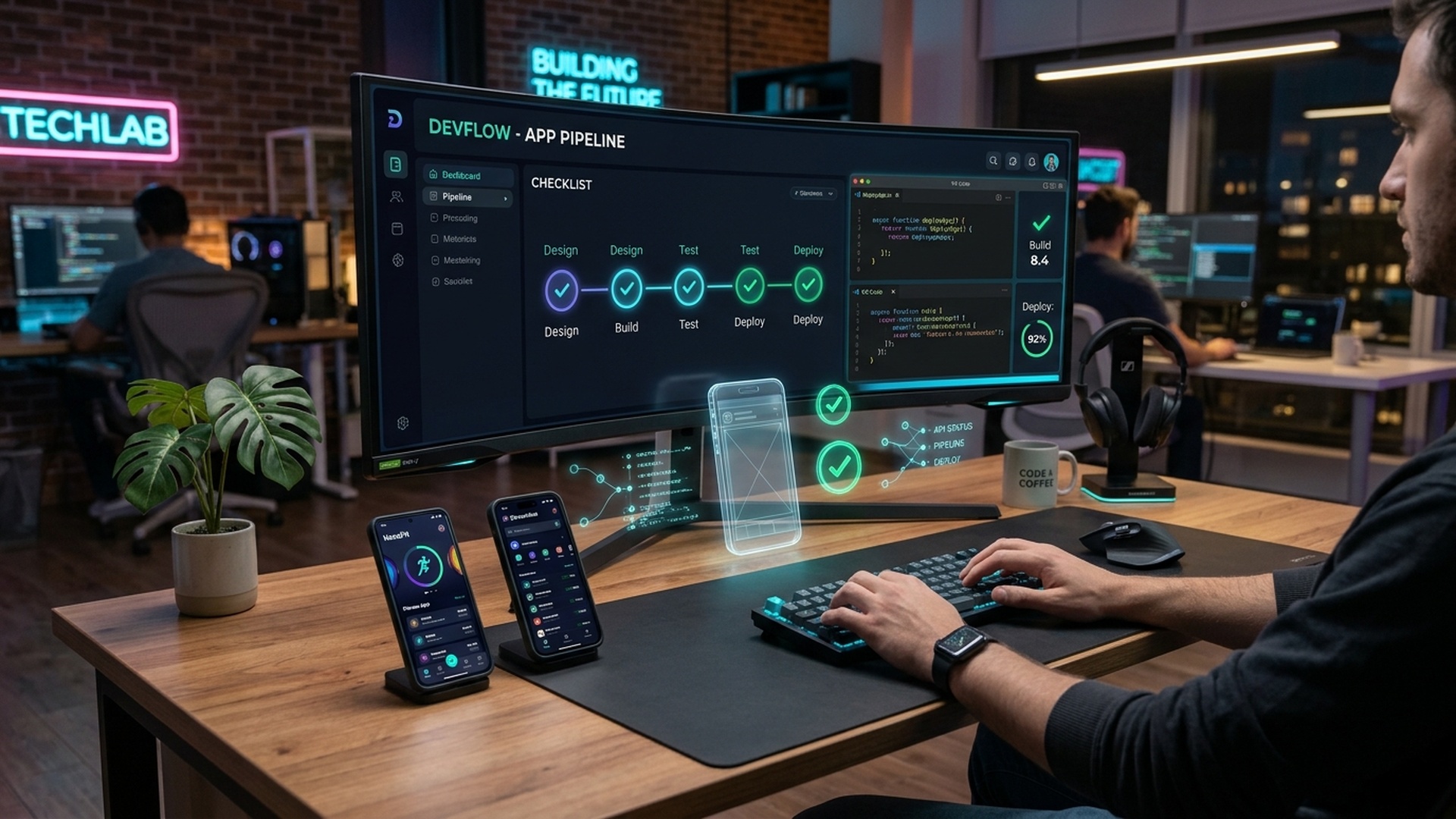
App Development Checklist for Beginners: Build Your First App
Starting app development can feel overwhelming when you are unfamiliar with programming languages, development environments, user interface design, databases, and publishing requirements. A structured checklist makes the process easier by breaking app development into manageable stages, from choosing an idea to releasing a working application.
This beginner-friendly guide covers the essential steps for developing Android apps, iOS apps, and cross-platform applications. Whether you are a student, a recent graduate, or someone learning software development in Ludhiana, Punjab, you can use this checklist to organize your learning and build practical projects.
What Is App Development?
App development is the process of planning, designing, building, testing, deploying, and maintaining software applications for mobile devices, tablets, and other platforms. Applications may be native, cross-platform, or web-based, depending on their purpose and technical requirements.
- Native development: Builds applications specifically for a platform, such as Android or iOS.
- Cross-platform development: Uses a shared codebase to build applications for multiple platforms with frameworks such as Flutter or React Native.
- Web app development: Creates applications accessed through a web browser, often using HTML, CSS, JavaScript, and backend services.
App Development Checklist for Beginners
Work through the following checklist when starting your first application. You can adapt it to your chosen platform and project scope.
1. Define Your App Idea
- Identify the problem your application will solve.
- Describe the intended users and their needs.
- Research existing applications with similar features.
- Write down the main purpose of your app in one or two sentences.
- Choose a small set of essential features for the first version.
- Decide how you will measure whether the app is useful.
Example: If you want to create a student task planner, the first version might include task creation, due dates, completion status, and basic reminders. Avoid adding complex social features before the core functionality works.
2. Choose Your Development Platform
- Decide whether you want to build for Android, iOS, both, or the web.
- Consider your intended audience, available devices, budget, and project requirements.
- Choose a suitable programming language and framework.
- Check the operating system and hardware requirements of your development tools.
- Confirm whether you need access to a physical device, emulator, or platform-specific publishing account.
For beginners targeting Android, Kotlin is a strong native development option. Swift is commonly used for native iOS development. Flutter and React Native are popular choices for cross-platform projects. Select a path based on your goals instead of trying to learn every framework at once.
3. Learn the Programming Fundamentals
- Understand variables, data types, operators, and expressions.
- Practise conditions, loops, functions, and error handling.
- Learn object-oriented programming where relevant.
- Understand collections, classes, modules, and asynchronous operations.
- Practise reading documentation and debugging errors.
- Learn Git basics for version control.
Programming fundamentals help you understand how app features work and make debugging easier. Build small exercises before moving to a full application.
4. Set Up Your Development Environment
- Install the required IDE or code editor.
- Install the appropriate SDK and development tools.
- Configure the project dependencies.
- Set up an emulator or connect a compatible physical device.
- Create a project repository with Git.
- Run a basic starter application to verify that the setup works.
Android developers commonly use Android Studio. Flutter developers can use Android Studio or Visual Studio Code with the relevant extensions. React Native projects may use a JavaScript development environment and platform-specific tooling. Follow the official setup documentation for the selected framework.
5. Plan the User Interface and User Experience
- Sketch the main screens before coding.
- Map the user journey from opening the app to completing the main task.
- Choose readable typography, consistent spacing, and a coherent color palette.
- Make navigation predictable.
- Design clear loading, empty, error, and success states.
- Consider accessibility, including text readability and touch-target size.
- Check how screens adapt to different device sizes.
You can create simple wireframes on paper or use a design tool before implementation. Prioritize clarity and usability over decorative effects.
6. Build the Core Features First
- Create the main screens and navigation.
- Implement the app's primary user action.
- Validate user input.
- Connect buttons and forms to the appropriate logic.
- Handle errors and unexpected input.
- Store data locally or remotely according to your requirements.
- Test each feature as you build it.
Build a minimum viable product (MVP): the smallest useful version of your app. Once the primary workflow works reliably, add secondary features based on feedback.
7. Understand Backend and Database Basics
- Determine whether your app needs a backend server.
- Learn how APIs allow the app to communicate with other services.
- Understand the difference between local storage and remote databases.
- Choose an appropriate data model.
- Implement authentication if user accounts are necessary.
- Handle network failures, timeouts, and unavailable services.
- Keep sensitive credentials out of client-side application code.
A simple offline calculator may not need a backend. An app with user accounts, shared records, or cloud synchronization may need a server and database. For example, a task planner could begin with local storage and later add an API and cloud database when synchronization becomes necessary.
8. Apply Security and Privacy Practices
- Request only the permissions your app actually needs.
- Use HTTPS for network communication.
- Never embed private API keys or server secrets in the app.
- Store sensitive information using appropriate secure storage mechanisms.
- Validate inputs on the server as well as on the client when applicable.
- Protect authentication tokens and user sessions.
- Review third-party libraries and keep dependencies updated.
- Explain what user data is collected and why.
- Provide appropriate privacy disclosures and deletion options when applicable.
Security should be considered throughout development, not added only before release. Applications that handle payments, health information, location, or personal records need additional privacy and security review.
9. Test Your Application
- Test each feature using normal and unexpected inputs.
- Check screen navigation and back-button behaviour.
- Test on different screen sizes and supported operating system versions.
- Test network loss, slow connections, and server errors.
- Check app startup time, responsiveness, and memory usage.
- Verify permission handling and privacy-related settings.
- Fix crashes, broken layouts, and high-priority bugs.
- Ask a few people from your intended audience to try the app.
Do not assume an app is ready because it runs successfully on one device. Use automated tests where appropriate and supplement them with practical manual testing.
10. Prepare for App Deployment
- Choose an application name and prepare a suitable icon.
- Remove debugging code and unnecessary permissions.
- Configure the application identifier and version information.
- Prepare release builds and signing credentials.
- Test the release build rather than only the development build.
- Create screenshots, a description, and other required store assets.
- Prepare the privacy policy and required data disclosures.
- Review the relevant app store's current technical and policy requirements.
- Publish through the appropriate store or distribution method.
Publishing requirements vary by platform and can change. Review the official Google Play and Apple App Store documentation before preparing a release. You may also distribute some applications privately or through other permitted channels, depending on the platform and use case.
11. Monitor and Maintain the App
- Collect user feedback through appropriate channels.
- Monitor crashes and errors without unnecessarily collecting personal data.
- Fix bugs and compatibility issues.
- Update dependencies and supported platform versions.
- Improve performance and accessibility.
- Prioritize feature requests according to user needs.
- Document important changes between releases.
App development continues after launch. Maintenance helps keep the application useful, secure, and compatible with evolving devices and platform requirements.
Beginner App Development Checklist at a Glance
| Stage | Checklist item | Completion goal |
|---|---|---|
| Planning | Define the problem, audience, and core features | Clear project scope |
| Platform | Choose Android, iOS, cross-platform, or web | Defined technology stack |
| Learning | Practise programming and Git fundamentals | Basic coding readiness |
| Setup | Install tools, SDKs, and a test environment | Starter app runs successfully |
| Design | Sketch screens and navigation | Usable interface plan |
| Development | Implement the core user workflow | Working MVP |
| Backend | Configure storage and APIs if needed | Reliable data handling |
| Security | Review permissions, secrets, and data protection | Reduced security risks |
| Testing | Test devices, edge cases, and failures | Release candidate |
| Deployment | Prepare assets, signing, and store requirements | Submission-ready build |
| Maintenance | Monitor feedback and update the app | Sustainable improvement process |
Recommended Tools for Beginner App Developers
| Tool or technology | Typical use |
|---|---|
| Android Studio | Native Android development and Android testing |
| Kotlin | Modern native Android programming |
| Xcode and Swift | Native Apple platform development |
| Flutter | Cross-platform application development using Dart |
| React Native | Cross-platform applications using JavaScript or TypeScript |
| Visual Studio Code | Code editing for multiple frameworks |
| Git and GitHub | Version control and source code collaboration |
| Postman | Testing HTTP APIs |
| Firebase | Selected backend services, authentication, and data features |
| Figma | Interface design and wireframing |
You do not need every tool on this list. Choose the smallest set that supports your selected platform and project. Check the current system requirements before installing development environments.
A Simple First App Project: Student Task Planner
A student task planner is a useful beginner project because it introduces several common app development concepts without requiring a complex system.
Version 1: Essential Features
- Add a task with a title and due date.
- Display all tasks in a list.
- Mark tasks as completed.
- Edit or delete tasks.
- Save tasks locally so they remain after restarting the app.
Version 2: Improvements
- Add task categories and filters.
- Introduce optional reminders.
- Improve accessibility and screen layouts.
- Add a backend and account-based synchronization if needed.
- Write tests for important workflows.
Document the project's requirements, screenshots, technology choices, and known limitations. This provides a practical portfolio item that you can discuss during interviews.
Common Mistakes Beginners Should Avoid
- Starting with too many features: Build a small, complete first version before expanding the scope.
- Choosing tools without a goal: Select technology according to the app's requirements and target platform.
- Ignoring fundamentals: Copying code without understanding it makes debugging and future development harder.
- Skipping testing: Test normal workflows, invalid inputs, device variations, and network failures.
- Neglecting security: Avoid exposing secrets and collecting data without a clear purpose.
- Leaving deployment until the end: Understand platform requirements early enough to avoid release surprises.
- Abandoning maintenance: Plan how bugs, compatibility changes, and user feedback will be handled.
How to Learn App Development in Ludhiana
Learners in Ludhiana, Punjab, can explore self-paced online learning, guided training programs, college projects, and local technical communities. For aspiring developers seeking structured classroom and lab training, enrolling in a dedicated app development course in Ludhiana provides hands-on project experience with modern native and cross-platform frameworks under experienced mentors. Before selecting a course, compare the syllabus, instructor experience, practical assignments, project mentoring, class format, total fees, and post-course support.
Look for a program that teaches programming fundamentals, UI design, data handling, API integration, testing, and deployment. Ask to see a sample project and clarify whether you will build your own application or primarily follow demonstrations. No course can guarantee a job; practical skills, portfolio quality, communication, and interview preparation also matter.
Frequently Asked Questions
What should beginners learn first in app development?
Start by choosing a target platform, learning its primary programming language, and understanding basic programming concepts. Then build a small application with a few useful features and practise debugging and testing.
Which programming language is best for app development?
Kotlin is a strong choice for native Android development, while Swift is used for native iOS development. Dart is used with Flutter, and JavaScript or TypeScript can be used with React Native. The best choice depends on your platform and project goals.
Can I develop an app without knowing programming?
No-code and low-code tools can help beginners create simple applications with limited coding. However, learning programming provides more control over complex features, integrations, debugging, and customization.
Do I need a powerful computer for app development?
Requirements depend on the platform, IDE, emulator, and project size. A computer that meets the current requirements of your development tools is important. If local emulators run slowly, testing on a compatible physical device may help, although it does not eliminate every hardware requirement.
How long does it take to build a beginner app?
A simple app may take days or weeks depending on your experience, available time, design, and feature scope. More complex applications with authentication, backend services, and extensive testing take longer. Build a realistic scope and test incrementally.
Is app development a good career for beginners?
App development can be a useful career path for people who enjoy programming, problem-solving, and building software products. Beginners should practise consistently, complete portfolio projects, and compare their skills with current job requirements.
Should I choose native or cross-platform app development?
Native development is suitable when you need platform-specific features or close integration with one operating system. Cross-platform frameworks can reduce duplicated work when targeting multiple platforms. The appropriate option depends on performance needs, features, team skills, and project budget.
What is an MVP in app development?
A minimum viable product is the smallest version of an application that delivers its main value to users. It allows developers to test the core idea before investing in more features.
How can I make my first app secure?
Request only necessary permissions, use HTTPS, protect credentials and tokens, validate inputs, update dependencies, and explain how personal data is used. Apps that process sensitive data need additional security review.
Where can I learn app development in Ludhiana?
Compare local training providers, online courses, and project-based learning options in Ludhiana. Review the syllabus, hands-on work, instructor experience, project feedback, fees, and support before enrolling.
Conclusion
A reliable app development process starts with a clear idea and continues through planning, programming, interface design, implementation, security, testing, deployment, and maintenance. Beginners do not need to master every technology at once. Choose one development path, complete a small application, document what you learn, and improve it through testing and feedback. This checklist can serve as a practical reference as you progress toward more advanced app development projects.