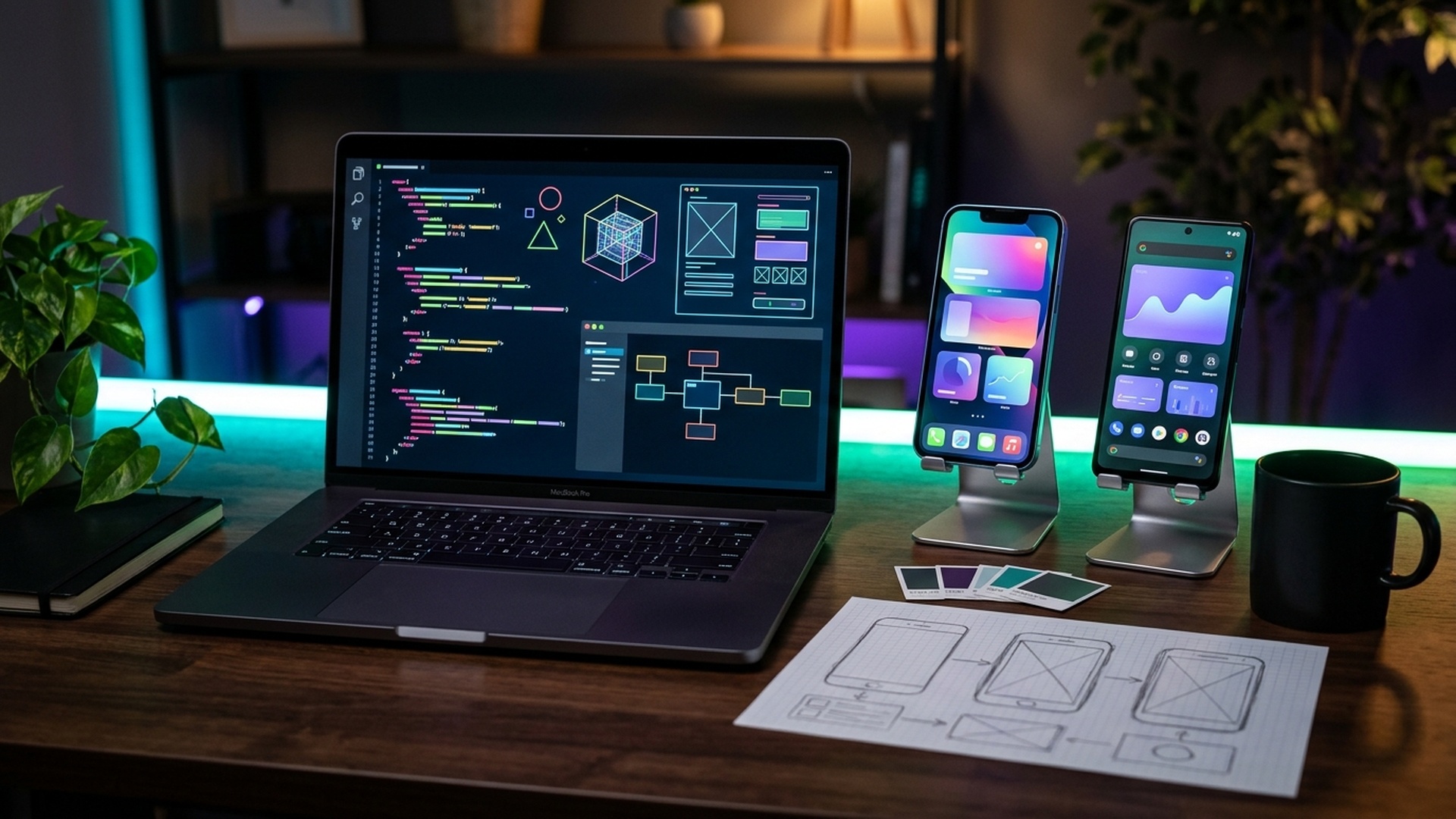
App Development Roadmap for Beginners: Step-by-Step Guide
Mobile applications have become an essential part of everyday life. From online shopping and banking to education, entertainment, and communication, apps help people complete tasks quickly and access digital services from anywhere.
As a result, app development has become an interesting learning path for students, beginners, and aspiring software developers. However, getting started can feel confusing because there are several programming languages, frameworks, platforms, and development tools to choose from.
If you are wondering how to learn app development from scratch, this roadmap will help you understand the complete process. It covers programming fundamentals, Android and iOS development, user interface design, backend integration, databases, practical projects, and publishing your first application.
What Is App Development?
App development is the process of designing, building, testing, and maintaining software applications for mobile devices, tablets, and other platforms. Applications can provide services such as communication, shopping, entertainment, productivity, education, and business management.
Depending on the target platform and development approach, applications can be classified into different categories.
Types of App Development
| Development Type | Description | Common Technologies |
|---|---|---|
| Native Android Development | Applications developed specifically for Android devices. | Kotlin, Java, Android Studio |
| Native iOS Development | Applications developed specifically for Apple devices. | Swift, Xcode |
| Cross-Platform Development | Applications developed using a shared codebase for multiple platforms. | Flutter, React Native |
| Hybrid App Development | Web technologies packaged within a mobile application container. | Ionic, Capacitor |
| Progressive Web Applications | Web applications that provide selected app-like experiences through browsers. | HTML, CSS, JavaScript |
Step 1: Understand Programming Fundamentals
Before building mobile applications, learn the basic concepts of programming. These concepts will help you understand how application logic works and how to solve development problems.
Start with the following topics:
- Variables and data types.
- Operators and expressions.
- Conditional statements.
- Loops and iterations.
- Functions and methods.
- Arrays, lists, and collections.
- Object-oriented programming.
- Exception handling.
- Basic debugging techniques.
Choose one programming language to begin with instead of trying to learn several languages simultaneously.
Step 2: Choose Your App Development Path
One of the most important decisions for beginners is selecting a development platform. Your choice should depend on the devices you want to support, your learning goals, and the technologies you want to work with.
Option 1: Android Development
Android development focuses on creating applications for smartphones, tablets, and other devices running the Android operating system.
Important technologies include:
- Kotlin: Google's preferred language for modern Android development.
- Java: An established programming language still used in Android projects.
- Android Studio: The official integrated development environment for Android development.
- Jetpack Compose: A modern toolkit for building native Android user interfaces.
Beginners interested in Android development can start with Kotlin and gradually learn application architecture, user interface development, and data management.
Option 2: iOS Development
iOS development involves creating applications for iPhones and other Apple platforms.
Important technologies include:
- Swift: Apple's programming language for application development.
- Xcode: Apple's development environment.
- SwiftUI: A framework for building application interfaces.
- UIKit: A framework for developing and managing traditional iOS interfaces.
If you want to build native iOS applications, learning Swift and SwiftUI is a practical starting point.
Option 3: Cross-Platform App Development
Cross-platform development allows developers to build applications for multiple operating systems using a shared codebase. It can be a useful approach for individuals and teams that want to support Android and iOS without maintaining entirely separate applications.
Popular options include:
- Flutter: Google's UI toolkit that uses Dart.
- React Native: A framework that uses JavaScript or TypeScript and React concepts.
| Technology | Language | Best Starting Use |
|---|---|---|
| Android Native | Kotlin | Android-specific applications |
| iOS Native | Swift | Apple platform applications |
| Flutter | Dart | Cross-platform applications |
| React Native | JavaScript / TypeScript | Cross-platform applications using React concepts |
Step 3: Learn UI/UX Design Fundamentals
A mobile application should not only function correctly but also provide a comfortable and understandable experience. UI/UX design helps developers create applications that are visually consistent and easy to navigate.
Learn these important concepts:
- User Interface (UI): The visual elements users interact with, including buttons, menus, forms, and navigation bars.
- User Experience (UX): The overall experience users have while using an application.
- Wireframing: Creating simple layouts before developing the interface.
- Prototyping: Building interactive representations of an application.
- Responsive layouts: Designing interfaces that adapt to different screen sizes.
- Accessibility: Making applications usable by people with different abilities.
Tools such as Figma can help beginners plan application screens and create prototypes before writing code.
Step 4: Understand App Architecture and Navigation
As your application becomes more complex, organising the code becomes important. Application architecture helps separate responsibilities and makes software easier to maintain.
Learn about:
- Activities, screens, and components.
- Navigation between screens.
- Application lifecycle.
- State management.
- Reusable UI components.
- Model-View-ViewModel (MVVM) and other architecture patterns.
- Separation of presentation, business logic, and data layers.
Start with a simple application containing two or three screens, then gradually introduce more advanced architecture concepts.
Step 5: Learn Databases and Data Storage
Most applications need to store information such as user preferences, product details, messages, or transaction records. Understanding databases and data storage is therefore an important part of app development.
Explore the following technologies:
| Technology | Purpose |
|---|---|
| SQLite | Lightweight relational database for local application storage. |
| Room | Database persistence library for Android applications. |
| Firebase Firestore | Cloud-hosted NoSQL database. |
| PostgreSQL | Relational database commonly used in backend systems. |
| MongoDB | Document-oriented database. |
| SharedPreferences / DataStore | Storage for application preferences and small amounts of local data. |
Begin by saving simple information locally, then learn how to connect your application to a remote database.
Step 6: Understand APIs and Backend Development
Applications often communicate with remote servers to retrieve data, authenticate users, process requests, and synchronise information. APIs provide a structured way for applications to communicate with backend services.
Important concepts include:
- What APIs are and how they work.
- HTTP methods such as GET, POST, PUT, PATCH, and DELETE.
- JSON data formats.
- REST API fundamentals.
- Authentication and authorisation.
- API error handling.
- Server-side application basics.
You can start with a public practice API, retrieve information, and display it in your application. Later, learn backend development using technologies such as Node.js, Django, or FastAPI.
Step 7: Learn Testing and Debugging
Testing helps identify problems before an application reaches users. A good developer should know how to test application functionality, diagnose errors, and verify that changes do not break existing features.
Focus on these areas:
- Unit testing: Testing individual functions and components.
- UI testing: Checking screen layouts and user interactions.
- Integration testing: Testing how different application components work together.
- Performance testing: Identifying slow operations and excessive resource usage.
- Compatibility testing: Checking behaviour across different devices and operating system versions.
- Debugging: Using development tools and logs to identify and fix errors.
Step 8: Build Practical App Development Projects
Practical projects help you apply programming, design, database, and API concepts. Start with simple applications and gradually increase complexity.
1. To-Do List Application
Build an application where users can add, edit, complete, and delete tasks.
Skills covered: UI design, user input, lists, and local storage.
2. Notes Application
Create a simple notes application that allows users to write, edit, delete, and organise notes.
Skills covered: CRUD operations, local databases, and screen navigation.
3. Weather Application
Develop an application that retrieves weather information from an API and displays temperature, conditions, and location-based information.
Skills covered: API integration, JSON parsing, and error handling.
4. Expense Tracker
Build an application that records daily expenses, categorises transactions, and displays spending summaries.
Skills covered: Database management, data processing, and charts.
5. E-Commerce Application
Create a shopping application with product listings, search, product details, a shopping cart, and a basic checkout demonstration.
Skills covered: Navigation, API integration, state management, and database operations.
6. Student Attendance Application
Develop an application that helps users record attendance, view attendance history, and generate summaries.
Skills covered: Data storage, forms, reporting, and application architecture.
| Project | Difficulty | Main Concepts |
|---|---|---|
| To-Do List | Beginner | UI and local storage |
| Notes Application | Beginner | CRUD and databases |
| Weather Application | Beginner to Intermediate | API integration |
| Expense Tracker | Intermediate | Database and data visualisation |
| E-Commerce Application | Intermediate to Advanced | APIs and state management |
| Student Attendance Application | Intermediate | Data management and reporting |
Essential App Development Tools for Beginners
Choosing the right development environment can make learning easier. The following tools are commonly used across different app development workflows.
| Tool | Purpose |
|---|---|
| Android Studio | Android application development. |
| Xcode | Apple platform application development. |
| Visual Studio Code | Code editing for Flutter, React Native, and related technologies. |
| Flutter SDK | Cross-platform application development. |
| Node.js | JavaScript runtime and backend development. |
| Figma | UI design, wireframing, and prototyping. |
| Git and GitHub | Version control and project collaboration. |
| Firebase | Backend services, authentication, and cloud data storage. |
| Postman | Testing APIs and HTTP requests. |
A 12-Week App Development Roadmap for Beginners
If you are starting from scratch, the following 12-week plan can help you organise your learning. The timeline is flexible and should be adjusted according to your available study time and chosen technology.
| Week | Learning Focus | Practical Goal |
|---|---|---|
| 1–2 | Programming fundamentals | Build small programs using variables, loops, functions, and conditions. |
| 3 | Choose a development platform | Install the required tools and create your first application. |
| 4 | UI and UX fundamentals | Design basic application screens and navigation. |
| 5–6 | Application components and state | Build a multi-screen application with interactive components. |
| 7 | Databases and local storage | Save and retrieve application data. |
| 8 | APIs and backend fundamentals | Connect an application to an API. |
| 9 | Application architecture | Organise code and improve maintainability. |
| 10 | Testing and debugging | Identify and fix common application errors. |
| 11 | Complete a practical project | Build a functional application with multiple features. |
| 12 | Deployment and portfolio | Prepare a project demonstration and learn the publishing process. |
How to Publish Your First Mobile Application
After development and testing, you may want to make your application available to other users. Publishing requires preparing the application, following platform requirements, and completing the relevant review process.
Publishing on Google Play
- Create the required developer account.
- Prepare the application release build.
- Generate the required app bundle or supported release package.
- Prepare the application name, description, screenshots, and icon.
- Complete content rating, privacy, and data safety declarations.
- Meet current testing and release requirements.
- Submit the application for review.
Publishing on the Apple App Store
- Set up the required Apple developer account.
- Prepare and archive the application using Xcode.
- Configure application information and signing requirements.
- Provide screenshots, descriptions, and privacy details.
- Review Apple's current App Store guidelines.
- Submit the application through App Store Connect.
Developer account fees, testing requirements, and publishing policies can change. Always check the official platform documentation before planning a release.
Career Opportunities in App Development
Learning app development can lead to different roles in software engineering and product development. Your career direction will depend on your chosen technology, practical skills, and experience.
| Job Role | Typical Responsibilities |
|---|---|
| Android Developer | Build and maintain Android applications. |
| iOS Developer | Develop applications for Apple platforms. |
| Flutter Developer | Create cross-platform applications using Flutter. |
| React Native Developer | Build mobile applications using React Native. |
| Mobile UI Developer | Implement mobile application interfaces and interactions. |
| Mobile Application Tester | Test application functionality, usability, and performance. |
| Mobile App Freelancer | Develop and maintain applications for clients. |
How to Build an App Development Portfolio
A portfolio allows employers and clients to see what you can build. It is especially useful for beginners who have limited professional experience.
- Complete at least three practical applications with different features.
- Upload your source code to GitHub with clear documentation.
- Include screenshots and short demonstration videos.
- Explain the technologies and architecture used in each project.
- Show how your application handles errors and user input.
- Include links to published applications where available.
- Clearly describe your contribution if a project was developed in a team.
Common Mistakes Beginners Should Avoid
- Learning multiple frameworks simultaneously: Choose one development path and build a solid foundation before switching.
- Skipping programming fundamentals: Strong programming knowledge makes advanced development easier.
- Ignoring design: Poor navigation and confusing interfaces can reduce application usability.
- Copying tutorials without understanding: Rebuild features independently and learn how the code works.
- Ignoring testing: Test applications on different screen sizes and realistic usage scenarios.
- Starting with an overly complex project: Build smaller applications before attempting a complete commercial product.
- Neglecting maintenance: Applications require updates, bug fixes, and compatibility improvements.
Learning App Development in Ludhiana
Students and aspiring developers in Ludhiana can begin their app development journey by learning programming fundamentals and choosing a clear development path. Building applications that solve familiar problems can make learning more practical and engaging.
For example, beginners can develop student attendance applications, local business catalogues, appointment booking systems, expense trackers, or educational applications. These projects help learners understand user interfaces, databases, APIs, and application workflows.
When comparing app development learning options in Ludhiana, such as enrolling in an app development course in Ludhiana, evaluate the curriculum, practical assignments, project work, instructor guidance, development tools, and opportunities to build a portfolio. Focus on understanding the complete development process rather than learning only one programming language.
Frequently Asked Questions
1. How can I start app development as a beginner?
Start by learning programming fundamentals, then choose Android, iOS, or cross-platform development. Learn UI design, navigation, databases, APIs, and testing before building complete applications.
2. Which programming language is best for app development?
Kotlin is a strong choice for native Android development, Swift is used for native iOS development, Dart is used with Flutter, and JavaScript or TypeScript can be used with React Native.
3. Can I learn app development without a computer science degree?
Yes. You can learn app development through online resources, practical projects, documentation, and structured training. A computer science degree is not universally required, although individual employers may have their own education requirements.
4. Is Flutter good for beginners?
Flutter can be a useful option for beginners interested in cross-platform development. It uses Dart and provides tools for building interfaces and applications for multiple platforms from a shared codebase.
5. How long does it take to learn app development?
You can learn basic programming and build simple applications within a few months with consistent practice. Developing advanced applications requires more time and experience with architecture, databases, APIs, testing, and deployment.
6. Do I need to learn both Android and iOS development?
No. Beginners can start with one platform or choose a cross-platform framework. You can expand to other platforms after understanding the fundamentals of application development.
7. Which tools are required for app development?
Common tools include Android Studio, Xcode, Visual Studio Code, Flutter SDK, Git, GitHub, Figma, Firebase, and Postman. Your requirements depend on the platform and technology you select.
8. Can I develop mobile applications using Python?
Python can be used for certain mobile application projects through frameworks such as Kivy and BeeWare. However, Kotlin, Swift, Flutter, and React Native are more common choices in many mainstream mobile development workflows.
9. What projects should beginners build first?
Start with a to-do list, notes application, calculator, weather application, or expense tracker. These projects introduce essential concepts such as user input, navigation, local storage, and API integration.
10. Can I earn money through app development?
Yes. Developers may earn through employment, freelance projects, client applications, subscriptions, or their own products. Results depend on technical ability, project quality, market demand, and business execution.
Conclusion
App development is a practical skill that combines programming, design, problem-solving, and software engineering. Beginners do not need to learn every platform or framework at once. The most effective approach is to choose one development path, understand its fundamentals, and build increasingly complex applications.
Start with a simple project, learn how to manage data and connect APIs, practise testing, and gradually prepare your applications for deployment. A portfolio of working projects will help demonstrate your skills and provide a foundation for future opportunities in mobile application development.