Networking Course in LudhianaCertificate Course

Certificate Course in Networking in Ludhiana

Understand how networks work. Learn how to configure, troubleshoot and secure them.

Build practical networking skills from fundamentals to network troubleshooting, covering TCP/IP, OSI, IP addressing, subnetting, switching, routing, VLANs, DNS, DHCP, NAT and network security.

 3 Monthsofflinebeginner
Networking
Course
Beginner
Level
Ludhiana
Location
Network Administration
Focus
Practical & Conceptual
Learning
Certificate Course in Networking

Course overview

Learn Certificate Course in Networking through practical experience

Computer networking is the foundation behind internet connectivity, enterprise infrastructure, cloud environments and modern IT operations. This networking course in Ludhiana introduces learners to the architecture and operation of computer networks and gradually develops practical skills in addressing, routing, switching, network services, wireless connectivity, security and troubleshooting. Learners can use network simulators and command-line tools to understand network behaviour and practise common administration tasks.

  • Networking Fundamentals
  • OSI & TCP/IP Models
  • IPv4 & IPv6 Concepts
  • IP Addressing
  • Subnetting & CIDR
  • TCP & UDP
  • DNS & DHCP
  • Switching & VLANs
  • Routing Fundamentals
  • NAT & PAT
  • Wireless Networking
  • Network Security Fundamentals
  • Wireshark Packet Analysis
  • Network Troubleshooting
  • Practical Network Projects

Who can join

Who this Certificate Course in Networking course is for

The course is suitable for learners in Ludhiana who want to develop networking knowledge for IT support, network administration, infrastructure and cybersecurity-related career paths.

  • Networking Beginners

    Start with networking fundamentals and gradually develop practical understanding of devices, protocols, addressing and troubleshooting.

  • IT Students

    Build practical networking knowledge that complements academic computer science and information technology studies.

  • IT Support Learners

    Learn the networking concepts needed to diagnose connectivity, addressing, DNS and common network problems.

  • Aspiring Network Administrators

    Develop foundational skills in network configuration, switching, routing, VLANs and network services.

  • Cybersecurity Beginners

    Build the networking foundation needed to understand traffic, protocols, network security and security monitoring.

What you actually need before day one

3 Months · offline

  • A laptop or desktop — we help you set it up in the first session
  • A stable internet connection for the online batches
  • No prior coding or technical background
  • Basic English reading — the tools and their documentation are in English
  • About 6-8 hours a week outside class for practice
  • Willingness to finish the lab task before the next class

Not sure which of these you are, or whether the timing works around what you already do? That is exactly what the call is for. Ask about Certificate Course in Networking

The case for it

Your months should build more than a certificate.

A course is worth the time you give it only if you finish with work you can show and skills you can defend. That is the standard this programme is designed against.

12+Practical learning areasfrom fundamentals to delivery
  • Begin with network types, devices, topologies and the fundamentals of data communication.

  • Learn OSI and TCP/IP models and understand how protocols communicate across network layers.

  • Work with IPv4, subnet masks, CIDR, subnetting, gateways and basic IPv6 concepts.

  • Use network simulations to practise switching, VLANs, routing and network-service scenarios.

  • Use packet analysis and learn foundational firewall, ACL, VPN and network-security concepts.

  • Diagnose network problems using connectivity commands, traffic analysis and structured troubleshooting methods.

What you will learn

A path from first steps to shipped work

The Networking syllabus progresses from basic networking concepts to IP addressing, subnetting, switching, routing, network services, wireless networking, security and troubleshooting.

10 learning modules01 / 10
Module 01

Module 1: Networking Fundamentals

Understand the basic concepts, terminology and architecture used in computer networking.

Skills you build

  • Introduction to Computer Networks
  • LAN, MAN and WAN
  • Network Topologies
  • Network Types
  • Client-Server Architecture
  • Peer-to-Peer Networks
  • Network Components
  • Network Devices
  • Bandwidth
  • Latency
  • Throughput
  • Network Communication

Tools & libraries

  • Cisco Packet Tracer
  • Wireshark

You finish with

The modules are arranged progressively so learners can establish networking fundamentals before moving into configuration, routing, services, security and troubleshooting.

Find your pace

What you can do, phase by phase

The Certificate Course in Networking syllabus in the order you meet it, and what you are able to do by the end of each stretch of it. Every row is a capability, not a topic you sat through.

Every capability in the Certificate Course in Networking syllabus, and the phase it is covered in
CapabilityComplete Networking Course
Introduction to Computer NetworksModule 1: Networking FundamentalsNot yet covered in Complete Networking Course
LAN, MAN and WANModule 1: Networking FundamentalsNot yet covered in Complete Networking Course
Network TopologiesModule 1: Networking FundamentalsNot yet covered in Complete Networking Course
Network TypesModule 1: Networking FundamentalsNot yet covered in Complete Networking Course
Client-Server ArchitectureModule 1: Networking FundamentalsNot yet covered in Complete Networking Course
Peer-to-Peer NetworksModule 1: Networking FundamentalsNot yet covered in Complete Networking Course
Network ComponentsModule 1: Networking FundamentalsNot yet covered in Complete Networking Course
Network DevicesModule 1: Networking FundamentalsNot yet covered in Complete Networking Course
BandwidthModule 1: Networking FundamentalsNot yet covered in Complete Networking Course
LatencyModule 1: Networking FundamentalsNot yet covered in Complete Networking Course
ThroughputModule 1: Networking FundamentalsNot yet covered in Complete Networking Course
Network CommunicationModule 1: Networking FundamentalsNot yet covered in Complete Networking Course
OSI ModelModule 2: OSI & TCP/IP ModelsNot yet covered in Complete Networking Course
Seven OSI LayersModule 2: OSI & TCP/IP ModelsNot yet covered in Complete Networking Course
TCP/IP ModelModule 2: OSI & TCP/IP ModelsNot yet covered in Complete Networking Course
EncapsulationModule 2: OSI & TCP/IP ModelsNot yet covered in Complete Networking Course
DecapsulationModule 2: OSI & TCP/IP ModelsNot yet covered in Complete Networking Course
Data UnitsModule 2: OSI & TCP/IP ModelsNot yet covered in Complete Networking Course
Protocols by LayerModule 2: OSI & TCP/IP ModelsNot yet covered in Complete Networking Course
Network Communication FlowModule 2: OSI & TCP/IP ModelsNot yet covered in Complete Networking Course
OSI vs TCP/IPModule 2: OSI & TCP/IP ModelsNot yet covered in Complete Networking Course
IPv4 AddressingModule 3: IP Addressing & SubnettingNot yet covered in Complete Networking Course
IPv6 IntroductionModule 3: IP Addressing & SubnettingNot yet covered in Complete Networking Course
Public & Private IP AddressesModule 3: IP Addressing & SubnettingNot yet covered in Complete Networking Course
Network & Host PortionsModule 3: IP Addressing & SubnettingNot yet covered in Complete Networking Course
Classful AddressingModule 3: IP Addressing & SubnettingNot yet covered in Complete Networking Course
CIDRModule 3: IP Addressing & SubnettingNot yet covered in Complete Networking Course
Subnet MasksModule 3: IP Addressing & SubnettingNot yet covered in Complete Networking Course
SubnettingModule 3: IP Addressing & SubnettingNot yet covered in Complete Networking Course
VLSM ConceptsModule 3: IP Addressing & SubnettingNot yet covered in Complete Networking Course
Default GatewayModule 3: IP Addressing & SubnettingNot yet covered in Complete Networking Course
Broadcast AddressModule 3: IP Addressing & SubnettingNot yet covered in Complete Networking Course
Address PlanningModule 3: IP Addressing & SubnettingNot yet covered in Complete Networking Course
TCPModule 4: TCP/IP Protocols & Network ServicesNot yet covered in Complete Networking Course
UDPModule 4: TCP/IP Protocols & Network ServicesNot yet covered in Complete Networking Course
TCP Three-Way HandshakeModule 4: TCP/IP Protocols & Network ServicesNot yet covered in Complete Networking Course
PortsModule 4: TCP/IP Protocols & Network ServicesNot yet covered in Complete Networking Course
SocketsModule 4: TCP/IP Protocols & Network ServicesNot yet covered in Complete Networking Course
ARPModule 4: TCP/IP Protocols & Network ServicesNot yet covered in Complete Networking Course
ICMPModule 4: TCP/IP Protocols & Network ServicesNot yet covered in Complete Networking Course
DNSModule 4: TCP/IP Protocols & Network ServicesNot yet covered in Complete Networking Course
DHCPModule 4: TCP/IP Protocols & Network ServicesNot yet covered in Complete Networking Course
HTTPModule 4: TCP/IP Protocols & Network ServicesNot yet covered in Complete Networking Course
HTTPSModule 4: TCP/IP Protocols & Network ServicesNot yet covered in Complete Networking Course
FTP ConceptsModule 4: TCP/IP Protocols & Network ServicesNot yet covered in Complete Networking Course
SMTP ConceptsModule 4: TCP/IP Protocols & Network ServicesNot yet covered in Complete Networking Course
Network Service CommunicationModule 4: TCP/IP Protocols & Network ServicesNot yet covered in Complete Networking Course
EthernetModule 5: Switching & VLANsNot yet covered in Complete Networking Course
MAC AddressesModule 5: Switching & VLANsNot yet covered in Complete Networking Course
Switching ConceptsModule 5: Switching & VLANsNot yet covered in Complete Networking Course
MAC Address TablesModule 5: Switching & VLANsNot yet covered in Complete Networking Course
Collision & Broadcast DomainsModule 5: Switching & VLANsNot yet covered in Complete Networking Course
VLAN FundamentalsModule 5: Switching & VLANsNot yet covered in Complete Networking Course
Access PortsModule 5: Switching & VLANsNot yet covered in Complete Networking Course
Trunk PortsModule 5: Switching & VLANsNot yet covered in Complete Networking Course
Inter-VLAN Routing ConceptsModule 5: Switching & VLANsNot yet covered in Complete Networking Course
Network SegmentationModule 5: Switching & VLANsNot yet covered in Complete Networking Course
Routing ConceptsModule 6: Routing FundamentalsNot yet covered in Complete Networking Course
Routing TablesModule 6: Routing FundamentalsNot yet covered in Complete Networking Course
Static RoutingModule 6: Routing FundamentalsNot yet covered in Complete Networking Course
Default RoutesModule 6: Routing FundamentalsNot yet covered in Complete Networking Course
Dynamic Routing ConceptsModule 6: Routing FundamentalsNot yet covered in Complete Networking Course
Next-Hop RoutingModule 6: Routing FundamentalsNot yet covered in Complete Networking Course
Administrative Distance ConceptsModule 6: Routing FundamentalsNot yet covered in Complete Networking Course
Routing TroubleshootingModule 6: Routing FundamentalsNot yet covered in Complete Networking Course
Inter-Network CommunicationModule 6: Routing FundamentalsNot yet covered in Complete Networking Course
NAT FundamentalsModule 7: NAT, DHCP, DNS & Network InfrastructureNot yet covered in Complete Networking Course
Static NATModule 7: NAT, DHCP, DNS & Network InfrastructureNot yet covered in Complete Networking Course
Dynamic NATModule 7: NAT, DHCP, DNS & Network InfrastructureNot yet covered in Complete Networking Course
PATModule 7: NAT, DHCP, DNS & Network InfrastructureNot yet covered in Complete Networking Course
DHCP Configuration ConceptsModule 7: NAT, DHCP, DNS & Network InfrastructureNot yet covered in Complete Networking Course
DNS ResolutionModule 7: NAT, DHCP, DNS & Network InfrastructureNot yet covered in Complete Networking Course
DNS RecordsModule 7: NAT, DHCP, DNS & Network InfrastructureNot yet covered in Complete Networking Course
Network GatewaysModule 7: NAT, DHCP, DNS & Network InfrastructureNot yet covered in Complete Networking Course
Proxy ConceptsModule 7: NAT, DHCP, DNS & Network InfrastructureNot yet covered in Complete Networking Course
Network Service TroubleshootingModule 7: NAT, DHCP, DNS & Network InfrastructureNot yet covered in Complete Networking Course
Wireless Networking FundamentalsModule 8: Wireless NetworkingNot yet covered in Complete Networking Course
Wi-Fi StandardsModule 8: Wireless NetworkingNot yet covered in Complete Networking Course
SSIDModule 8: Wireless NetworkingNot yet covered in Complete Networking Course
Wireless Access PointsModule 8: Wireless NetworkingNot yet covered in Complete Networking Course
Wireless AuthenticationModule 8: Wireless NetworkingNot yet covered in Complete Networking Course
Wireless Encryption ConceptsModule 8: Wireless NetworkingNot yet covered in Complete Networking Course
Wireless ChannelsModule 8: Wireless NetworkingNot yet covered in Complete Networking Course
Signal & InterferenceModule 8: Wireless NetworkingNot yet covered in Complete Networking Course
Basic Wireless TroubleshootingModule 8: Wireless NetworkingNot yet covered in Complete Networking Course
Network Security FundamentalsModule 9: Network Security FundamentalsNot yet covered in Complete Networking Course
FirewallsModule 9: Network Security FundamentalsNot yet covered in Complete Networking Course
ACL ConceptsModule 9: Network Security FundamentalsNot yet covered in Complete Networking Course
Secure ProtocolsModule 9: Network Security FundamentalsNot yet covered in Complete Networking Course
Network SegmentationModule 9: Network Security FundamentalsNot yet covered in Complete Networking Course
VPN ConceptsModule 9: Network Security FundamentalsNot yet covered in Complete Networking Course
Common Network AttacksModule 9: Network Security FundamentalsNot yet covered in Complete Networking Course
Password SecurityModule 9: Network Security FundamentalsNot yet covered in Complete Networking Course
Access ControlModule 9: Network Security FundamentalsNot yet covered in Complete Networking Course
Basic Security MonitoringModule 9: Network Security FundamentalsNot yet covered in Complete Networking Course
Troubleshooting MethodologyModule 10: Network Troubleshooting & AdministrationNot yet covered in Complete Networking Course
Connectivity TestingModule 10: Network Troubleshooting & AdministrationNot yet covered in Complete Networking Course
IP Configuration TroubleshootingModule 10: Network Troubleshooting & AdministrationNot yet covered in Complete Networking Course
DNS TroubleshootingModule 10: Network Troubleshooting & AdministrationNot yet covered in Complete Networking Course
Routing TroubleshootingModule 10: Network Troubleshooting & AdministrationNot yet covered in Complete Networking Course
Packet AnalysisModule 10: Network Troubleshooting & AdministrationNot yet covered in Complete Networking Course
Latency DiagnosisModule 10: Network Troubleshooting & AdministrationNot yet covered in Complete Networking Course
Network PerformanceModule 10: Network Troubleshooting & AdministrationNot yet covered in Complete Networking Course
Log AnalysisModule 10: Network Troubleshooting & AdministrationNot yet covered in Complete Networking Course
DocumentationModule 10: Network Troubleshooting & AdministrationNot yet covered in Complete Networking Course
Network Monitoring ConceptsModule 10: Network Troubleshooting & AdministrationNot yet covered in Complete Networking Course

The full programme runs 3 Months. Where you finish is a question of pace rather than of syllabus — everyone covers all of it.

Technology ecosystem

One discipline.
A mesh of real tools.

Certificate Course in Networking is the centre. These are the tools you use around it in a working team.

  • Network Simulation
  • Packet Analysis
  • Troubleshooting
  • Troubleshooting
  • DNS
  • Network Configuration
  • Network Administration
  • Administration
  • Cisco Packet TracerNetwork Simulation
  • WiresharkPacket Analysis
  • PingTroubleshooting
  • TracerouteTroubleshooting
  • nslookupDNS
  • ipconfig / ifconfigNetwork Configuration
  • netstatNetwork Administration
  • Linux TerminalAdministration

Hands-on projects

Projects you actually ship,
not just follow along with.

Each one lands in your portfolio with the working files, the process and something a reviewer can open.

Certification

Get certified in Certificate Course in Networking

Finish the Certificate Course in Networking programme at techcadd Ludhiana and you leave with more than a line on a CV — a verifiable certificate, and the project work that makes it mean something in an interview.

  • Course completion certificate

    Issued in your name on completion of the Certificate Course in Networking syllabus, with a reference number an employer can verify with us.

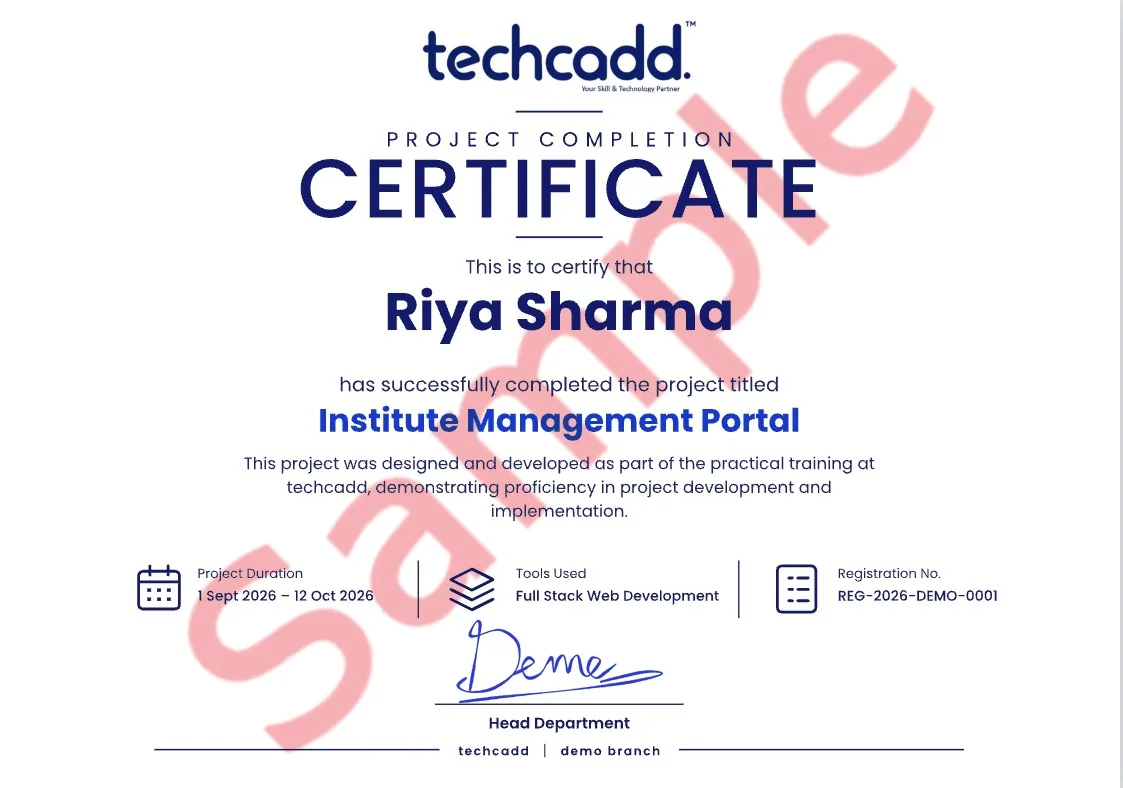
  • Project certificate

    A separate certificate for the capstone you submit, naming the project so the work is attached to the credential.

  • Internship letter

    Students who complete the live-project phase receive an internship letter covering the duration and the work delivered.

  • Portfolio you own

    Every file, repository and deployed link stays yours — the part of the credential a reviewer can actually open.

techcadd has been training in Ludhiana since 2007. The certificate carries that record; the Certificate Course in Networking work you did carries the rest.

Course completion

This is to certify that

has successfully completed the Certificate Course in Networking programme

Certificate Course in Networking

Ref TC-XXXX-XXXX
Project & internship

This is to certify that

for project work delivered under supervision in Ludhiana

Certificate Course in Networking capstone

Ref TC-PRJ-XXXX

Where it takes you

Where this course takes you

The route from your first module to the roles Certificate Course in Networking opens — and the work that has to exist at each step.

  1. 01Learning
  2. 02Projects
  3. 03Portfolio
  4. 04Industry readiness
  5. 05Career opportunities
  • Network Support Technician

    Assist with connectivity issues, network configuration and basic infrastructure troubleshooting.

  • Network Administrator

    Work with network devices, addressing, services, troubleshooting and infrastructure administration.

  • IT Support Technician

    Use networking knowledge to diagnose connectivity, DNS, IP configuration and other IT support issues.

  • Network Operations Trainee

    Build foundational skills for monitoring and supporting network infrastructure.

  • Network Security Trainee

    Use networking fundamentals as a foundation for further learning in network security and cybersecurity.

  • Junior Infrastructure Support

    Support basic network and infrastructure operations in an IT environment.

Salary outlook

What Certificate Course in Networking pays, and where

Indicative ranges for the roles this course opens — what a fresher out of Ludhiana is offered, what the metro and remote markets pay for the same skills, and how that moves with two or three years of work behind you.

Indicative annual packages by role and market
RoleLudhiana & PunjabDelhi NCR & BengaluruRemote & freelance
Network Support Technician₹2.5 LPA₹5.5 LPAHigh Demand in Ludhiana & Punjab
Network Administrator₹2.5 LPA₹5.5 LPAHigh Demand in Ludhiana & Punjab
IT Support Technician₹2.5 LPA₹5.5 LPAHigh Demand in Ludhiana & Punjab
Network Operations Trainee₹2.5 LPA₹5.5 LPAHigh Demand in Ludhiana & Punjab
Network Security Trainee₹2.5 LPA₹5.5 LPAHigh Demand in Ludhiana & Punjab
Junior Infrastructure Support₹2.5 LPA₹5.5 LPAHigh Demand in Ludhiana & Punjab

Ranges are indicative, drawn from what our own students report and from openings we see through the placement cell. Actual offers depend on your portfolio, the interview and the company — nobody can promise you a number, and we do not.

  • Network Support Technician, Network Administrator, IT Support Technician, Network Operations Trainee and related positions, depending on which part of the syllabus you go deepest on.

  • The first jump usually comes at 18–24 months, once you have shipped work you can point to. Depth in one area moves it faster than breadth across many.

  • Yes, and a good number of our students do. Remote and contract work is the reason Ludhiana candidates now compete for the same briefs as metro ones — the portfolio travels, the address does not matter.

  • IT services, manufacturing and export units running automation, e-commerce and D2C brands, healthcare, education, and the agencies serving all of them. Punjab hiring is broader than it looks from a job board.

  • It helps with the practical half. The projects and tooling carry into an M.Tech, MCA or a specialisation abroad, and the portfolio is often what separates two applicants with the same marks.

Next batch

Enquire about Certificate Course in Networking

Send this form and a counsellor calls you back about this course specifically — batch dates, fees and whether it fits what you already know.

  • CourseCertificate Course in Networking
  • Duration3 Months
  • Modeoffline
  • Centretechcadd Ludhiana

Would rather talk now? +91 98881 22667

Taken from the page you are on — this enquiry reaches the Certificate Course in Networking counsellor directly.

Loading the security check…

We never share your number. Expect a call within working hours.

Frequently asked questions

Questions before you enrol

The 7 things people ask most often about the Certificate Course in Networking course at techcadd Ludhiana.

  • The complete Certificate Course in Networking programme runs for 3 Months depending on the batch you choose. Weekday, weekend and fast-track options are available, along with shorter modules for students who only need the fundamentals.

  • School students after 12th, college students from any stream, graduates and working professionals changing track. The first module assumes no prior experience.

  • No. The course starts from the basics. If you already have some background, your trainer will move you faster through the first module so you reach the project work sooner.

  • Cisco Packet Tracer, Wireshark, Ping, Traceroute, nslookup, ipconfig / ifconfig, netstat and Linux Terminal — plus the day-to-day tooling and workflow that surrounds them in a real team.

  • Yes. Each module closes with a lab project, and the course ends with a capstone you can put on your portfolio and defend in an interview.

  • Placement support includes resume and portfolio review, aptitude and role-specific practice, mock interviews and interview referrals through our hiring network.

  • Yes. You receive a techcadd Certificate Course in Networking completion certificate, and a separate project certificate for the capstone you submit.

Why this course

Why should you choose this course?

Six things we hold ourselves to for every Certificate Course in Networking batch that starts in Ludhiana.

  • 01

    Strong Networking Foundation

    Build a structured understanding of computer networks, protocols, devices and communication.

  • 02

    Practical Network Labs

    Practise network configurations and troubleshooting through simulated networking environments.

  • 03

    IP & Subnetting Skills

    Develop practical understanding of addressing, subnet masks, CIDR and network planning.

  • 04

    Routing & Switching

    Learn foundational routing, switching, VLAN and network segmentation concepts.

  • 05

    Network Troubleshooting

    Use diagnostic commands and packet analysis to investigate common networking problems.

  • 06

    Cybersecurity Foundation

    Build networking knowledge that supports further learning in cybersecurity and network defence.

Why TechCadd

Why students choose us for this

The Networking programme at Techcadd Ludhiana provides a strong conceptual and practical foundation in computer networks, network devices, protocols, routing, switching, security and troubleshooting.

  • Practical Networking

    Networking concepts are reinforced through configuration, simulation, analysis and troubleshooting exercises.

  • Structured Learning

    The course progresses from fundamentals to addressing, switching, routing, services, security and troubleshooting.

  • Hands-On Labs

    Network simulation and diagnostic tools help learners apply concepts instead of relying only on theory.

  • Career Foundation

    Networking skills provide a foundation for IT support, network administration, infrastructure and cybersecurity pathways.

  • Ludhiana Training

    Learn networking through a structured course designed for students and aspiring IT professionals in Ludhiana.

  • Project-Based Practice

    Practical network scenarios help learners connect addressing, configuration, services and troubleshooting concepts.

Future scope

The road ahead for Certificate Course in Networking

A course ends; the field does not. Here is the honest version of what the next few years look like for Certificate Course in Networking — where the roles go, and what is shifting underneath them while you learn.

  1. Year 0–1

    Get in on proof of work

    Entry roles such as Network Support Technician open as soon as you have projects that run. At this stage nobody is asking about your marks — they are asking you to walk through something you built.

  2. Year 2–4

    Specialise and get paid for it

    The generalists plateau; the specialists do not. Depth in one part of Certificate Course in Networking — the part your first job leans on hardest — is what moves you towards network administrator work.

  3. Year 5+

    Own the decisions

    Architecture, standards, hiring and mentoring. The technical skill is assumed by now; what you are paid for is judgement, and judgement only comes from having shipped things that mattered.

Sectors hiring for this skill set

  • IT services
  • Product startups
  • Banking & fintech
  • Healthcare
  • E-commerce
  • Manufacturing
  • EdTech
  • Government & PSUs

The comparison

Why students pick techcadd for Certificate Course in Networking

When comparing networking courses, evaluate the curriculum, practical labs, troubleshooting exposure, networking tools and progression opportunities rather than focusing only on course duration.

techcadd compared with a other institutes, feature by feature
What to ask abouttechcaddOther institutes
Networking FundamentalsCovers network architecture, devices, topologies, OSI and TCP/IP models.Coverage depends on the individual curriculum.
IP Addressing & SubnettingIncludes IPv4, CIDR, subnet masks, subnetting, gateways and IPv6 concepts.Depth varies by programme.
Routing & SwitchingCovers routing, switching, VLANs and network segmentation fundamentals.Coverage depends on course structure.
Practical LabsUses network simulation, diagnostic commands and packet analysis exercises.Practical exposure varies.
TroubleshootingIncludes structured troubleshooting, connectivity testing and packet analysis.Troubleshooting depth varies.
Security FoundationIntroduces firewalls, ACLs, VPN concepts and basic network protection.Security coverage depends on the programme.

The comparison focuses on course-content coverage and practical learning areas.

Student Voices

What Certificate Course in Networking learners say

Feedback from students who completed the Certificate Course in Networking programme at techcadd Ludhiana.

Google Reviews4.8from 181 Google reviewsGoogle Verified
SK

Simranjeet Kaur

Certificate Course in Networking / B.Sc. IT graduate

I joined with no background in this. By the third month I was building Certificate Course in Networking work on my own, and the project reviews are where I actually learnt to do it properly.

Posted on Google
HS

Harman Sethi

Certificate Course in Networking / Now working as an intern in the field

The classes are practical. Every session ends with a task that has to work, so you cannot fake understanding. That habit helped me most in interviews.

Posted on Google
AV

Ankit Verma

Certificate Course in Networking / BCA final year

Doubt support was the difference for me. My trainer sat with my work, found the mistake and made me fix it myself instead of handing over the answer.

Posted on Google
NS

Navjot Singh

Certificate Course in Networking / Career switch from operations

I came for the skill and left with a portfolio — projects I could actually demo on a call, not a certificate I had to explain.

Posted on Google
SK

Simranjeet Kaur

Certificate Course in Networking / B.Sc. IT graduate

I joined with no background in this. By the third month I was building Certificate Course in Networking work on my own, and the project reviews are where I actually learnt to do it properly.

Posted on Google
HS

Harman Sethi

Certificate Course in Networking / Now working as an intern in the field

The classes are practical. Every session ends with a task that has to work, so you cannot fake understanding. That habit helped me most in interviews.

Posted on Google
AV

Ankit Verma

Certificate Course in Networking / BCA final year

Doubt support was the difference for me. My trainer sat with my work, found the mistake and made me fix it myself instead of handing over the answer.

Posted on Google
NS

Navjot Singh

Certificate Course in Networking / Career switch from operations

I came for the skill and left with a portfolio — projects I could actually demo on a call, not a certificate I had to explain.

Posted on Google
SK

Simranjeet Kaur

Certificate Course in Networking / B.Sc. IT graduate

I joined with no background in this. By the third month I was building Certificate Course in Networking work on my own, and the project reviews are where I actually learnt to do it properly.

Posted on Google
HS

Harman Sethi

Certificate Course in Networking / Now working as an intern in the field

The classes are practical. Every session ends with a task that has to work, so you cannot fake understanding. That habit helped me most in interviews.

Posted on Google
AV

Ankit Verma

Certificate Course in Networking / BCA final year

Doubt support was the difference for me. My trainer sat with my work, found the mistake and made me fix it myself instead of handing over the answer.

Posted on Google
NS

Navjot Singh

Certificate Course in Networking / Career switch from operations

I came for the skill and left with a portfolio — projects I could actually demo on a call, not a certificate I had to explain.

Posted on Google

Real, unedited feedback from techcadd learners on Google.

Ready to get started?

Start building your career today.

Talk to a counsellor today. One call is usually enough to know which track fits your degree, your schedule and the job you want.

Call now+91 98881 22667
  • Free career counselling
  • No registration fee
  • Placement support included