iOS & Swift Foundations
The tools, programming language, and design principles every iOS developer works with.
You finish with
A visually polished, static iOS app.
iOS DevelopmentIndustry-Ready
The training that builds deployable iOS skills, not tutorial familiarity.
This is a project-led training programme that takes you from iOS programming fundamentals to building and deploying production-ready applications for the Apple ecosystem. You build with Swift and SwiftUI — in small batches, with mentor-reviewed deliverables, live projects, and placement support in Ludhiana.
Admissions open
Free demo class & counselling
Batch slots
Course overview
This iOS App Development Training in Ludhiana is a project-led programme covering Swift, SwiftUI, Xcode, REST APIs, Core Data, and App Store deployment across 5 stages. The learning arc runs in three stages: foundations (Swift, SwiftUI, UI), applied backend work (API integration, local databases, device hardware), and a closing deployment stage (App Store publishing, CI/CD). Students finish with a published capstone application, a portfolio of stage deliverables, and interview readiness built on code they have actually written and shipped. The final stage is a professional capstone and career-preparation block — portfolio building, interview practice, and placement support — so the programme ends with something an employer can review, not just a certificate.
Curriculum
The syllabus is a 5-stage ladder, not a parallel list: each stage has topics, tools, a real-world use, and a deliverable, and later stages build directly on earlier ones. Progression runs from Swift fundamentals through API and Core Data integration to App Store deployment, closing with a capstone.
The tools, programming language, and design principles every iOS developer works with.
You finish with
A visually polished, static iOS app.
Fetching live data from the internet and saving data locally on the device.
You finish with
An API-driven app with local database caching.
Building complex user interfaces and accessing hardware features like the camera and GPS.
You finish with
A hardware-integrated app (e.g., a camera or location-based app).
Ensuring app stability and performance through rigorous testing and debugging.
You finish with
A fully tested app build.
Publishing apps to the real world and preparing for interviews.
You finish with
A published iOS App capstone on the Apple App Store.
What you learn
The iOS App Development Training in Ludhiana at techcadd is designed to help students move from basic mobile programming concepts to publishing real, fully functional iOS apps on the Apple App Store.
Master Swift syntax, Xcode, and SwiftUI basics to build a visually polished, static iOS application.
Learn to fetch and display live data using REST APIs, and save data locally on the device using Core Data.
Build complex interfaces using advanced SwiftUI and access hardware features like the Camera, Maps, and Location services.
Ensure your apps are stable and high-performing through rigorous unit testing, UI testing, and memory management.
Publish your app to App Store Connect, optimize it for search (ASO), and build a final deployed capstone project.
Tools you’ll work with
The case for it
A course is worth the time you give it only if you finish with work you can show and skills you can defend. That is the standard this programme is designed against.
You learn iOS App Development – Start Building Apps for Apple Devices the way it is used in production, with the workflow, tooling and standards a working team expects. Nothing in the syllabus exists only to fill hours.
Sessions are hands-on. You do every example, break it, and fix it. Each module closes with a lab task that has to work before you move on.
Several finished projects — the kind of work an interviewer can open, click through and question you on.
A structured final phase: portfolio review, profile cleanup, aptitude and role-specific practice, mock interviews and placement support.
Why this course
Six things we hold ourselves to for every iOS App Development – Start Building Apps for Apple Devices batch that starts in Ludhiana.
every stage produces a deliverable you can show, not just notes.
a full iOS App + API integration published on the Apple App Store.
deliverables are reviewed by trainers who still do client work.
hands-on use of Swift, SwiftUI, and Xcode to build modern apps.
Why TechCadd
techcadd runs this training as a ladder of deliverables, not a lecture series — every stage ends with something built, reviewed, and (in later stages) deployed.
trainers bring current project experience into the batch, not just slides.
every stage produces a real artifact, not a simulation.
review and feedback are possible because batches stay small.
you learn to build modern, native apps using the latest Apple frameworks.
Who can join
This training fits a specific starting point: you want to build and publish iOS applications, and you are ready to work through 5 stages with real deliverables rather than watch a course passively.
start with Swift fundamentals and finish with a published capstone you can show at your first interview.
upskill into iOS app development without leaving your job, using weekday or weekend batches.
move from a non-coding role into iOS development through a structured ladder that assumes no prior mobile experience.
learn to build and publish your own iOS applications end-to-end, from UI to a live App Store listing.
Not sure which of these you are, or whether the timing works around what you already do? That is exactly what the call is for. Ask about iOS App Development – Start Building Apps for Apple Devices
Technology ecosystem
iOS App Development – Start Building Apps for Apple Devices is the centre. These are the tools you use around it in a working team.
Hands-on projects
Each one lands in your portfolio with the working files, the process and something a reviewer can open.
Certification
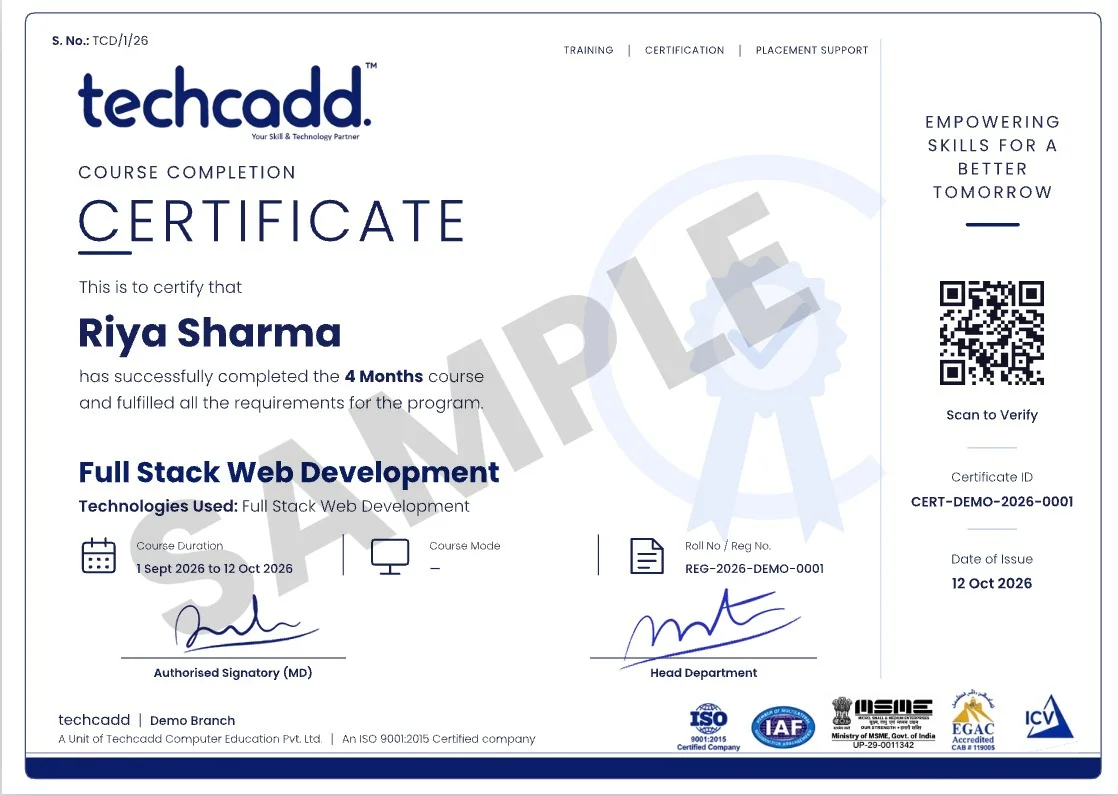
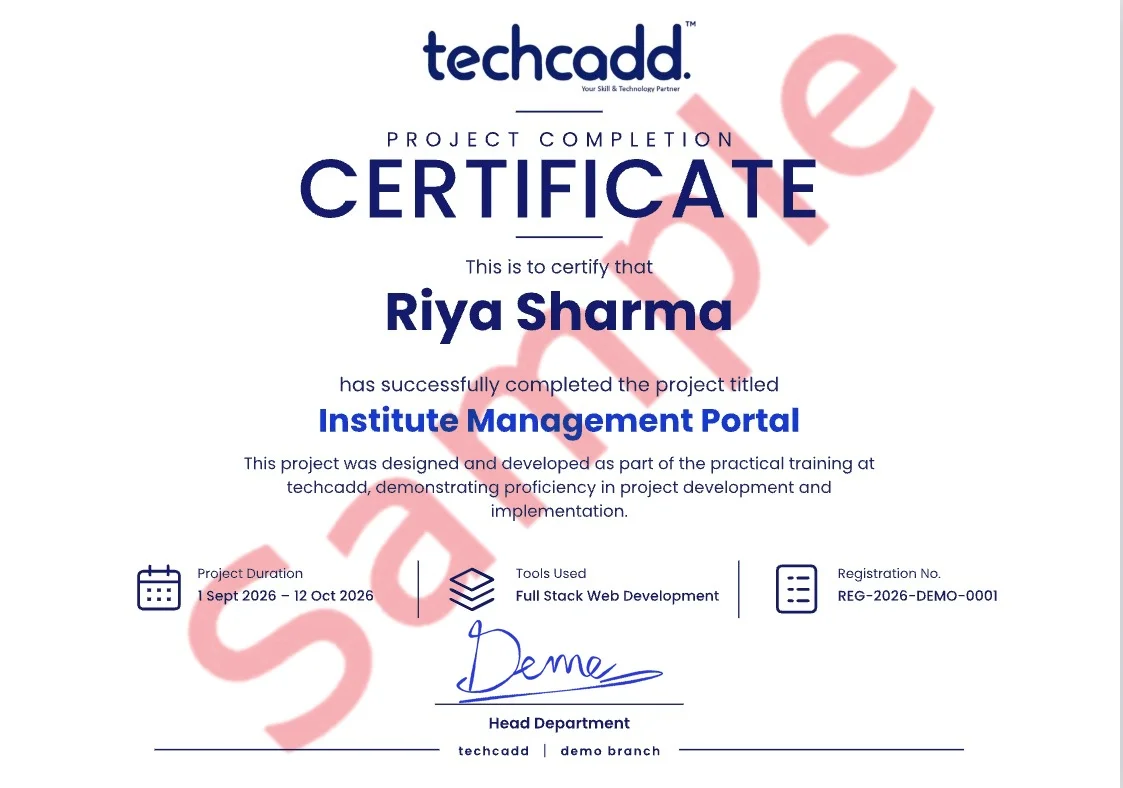
Finish the iOS App Development – Start Building Apps for Apple Devices programme at techcadd Ludhiana and you leave with more than a line on a CV — a verifiable certificate, and the project work that makes it mean something in an interview.
Issued in your name on completion of the iOS App Development – Start Building Apps for Apple Devices syllabus, with a reference number an employer can verify with us.
A separate certificate for the capstone you submit, naming the project so the work is attached to the credential.
Students who complete the live-project phase receive an internship letter covering the duration and the work delivered.
Every file, repository and deployed link stays yours — the part of the credential a reviewer can actually open.
techcadd has been training in Ludhiana since 2007. The certificate carries that record; the iOS App Development – Start Building Apps for Apple Devices work you did carries the rest.
Where it takes you
The route from your first module to the roles iOS App Development – Start Building Apps for Apple Devices opens — and the work that has to exist at each step.
employers check whether you can build and connect a UI, a database, and an API into one working iOS app.
employers check your Swift programming fundamentals, memory management, and ability to write clean code.
employers check your UI/UX design principles, app architecture, and ability to work with Git.
employers check if you can integrate Apple-specific features like iCloud, MapKit, or HealthKit.
clients check if you can take an app from concept to the App Store independently.
Salary outlook
Indicative ranges for the roles this course opens — what a fresher out of Ludhiana is offered, what the metro and remote markets pay for the same skills, and how that moves with two or three years of work behind you.
| Role | Ludhiana & Punjab | Delhi NCR & Bengaluru | Remote & freelance |
|---|---|---|---|
| iOS DeveloperEntry | ₹2.4–4.2 LPA | ₹4–8 LPA | ₹20k–45k / project |
| Swift DeveloperEntry to mid | ₹3.6–6.5 LPA | ₹6.5–14 LPA | ₹35k–90k / project |
| Mobile App DeveloperEntry to mid | ₹3.6–6.5 LPA | ₹6.5–14 LPA | ₹35k–90k / project |
| Apple Ecosystem DeveloperMid | ₹3.6–6.5 LPA | ₹6.5–14 LPA | ₹35k–90k / project |
Ranges are indicative, drawn from what our own students report and from openings we see through the placement cell. Actual offers depend on your portfolio, the interview and the company — nobody can promise you a number, and we do not.
iOS Developer, Swift Developer, Mobile App Developer, Apple Ecosystem Developer and related positions, depending on which part of the syllabus you go deepest on.
The first jump usually comes at 18–24 months, once you have shipped work you can point to. Depth in one area moves it faster than breadth across many.
Yes, and a good number of our students do. Remote and contract work is the reason Ludhiana candidates now compete for the same briefs as metro ones — the portfolio travels, the address does not matter.
IT services, manufacturing and export units running automation, e-commerce and D2C brands, healthcare, education, and the agencies serving all of them. Punjab hiring is broader than it looks from a job board.
It helps with the practical half. The projects and tooling carry into an M.Tech, MCA or a specialisation abroad, and the portfolio is often what separates two applicants with the same marks.
Future scope
A course ends; the field does not. Here is the honest version of what the next few years look like for iOS App Development – Start Building Apps for Apple Devices — where the roles go, and what is shifting underneath them while you learn.
Entry roles such as iOS Developer open as soon as you have projects that run. At this stage nobody is asking about your marks — they are asking you to walk through something you built.
The generalists plateau; the specialists do not. Depth in one part of iOS App Development – Start Building Apps for Apple Devices — the part your first job leans on hardest — is what moves you towards swift developer work.
Architecture, standards, hiring and mentoring. The technical skill is assumed by now; what you are paid for is judgement, and judgement only comes from having shipped things that mattered.
Teams expect iOS App Development – Start Building Apps for Apple Devices work to be done alongside AI tooling. It raises the floor on output and raises the bar on what counts as a junior — which is exactly why the fundamentals in this course are taught the hard way.
What used to be one narrow role now touches data, deployment and the product decision behind it. Every extra layer of iOS App Development – Start Building Apps for Apple Devices you understand is another kind of room you get invited into.
Remote and hybrid hiring means Ludhiana, Jalandhar and Chandigarh candidates now compete for the same roles as Bengaluru ones. Location has stopped being the ceiling it used to be.
Hiring has moved to portfolios, take-home tasks and live problem solving. A certificate opens a shortlist; work that runs is what gets you through the round after it.
Sectors hiring for this skill set
The comparison
Every institute in Ludhiana claims industry training and placement support. These are the differences you can actually check on a demo visit — ask any of them of anyone, including us.
| What to ask about | techcadd | Typical institute |
|---|---|---|
| Who teaches | Trainers who still do iOS App Development – Start Building Apps for Apple Devices work outside the classroom | Full-time faculty teaching from a fixed deck |
| 1-on-1 classes | One-to-one teaching available on every course — the pace is yours, and your work is looked at by name | One group class moving at one pace, whoever that pace happens to suit |
| Project work | 5 real projects plus a capstone you deploy and defend | Guided exercises copied from the board |
| Curriculum | Reviewed every batch against what working teams ship | Updated when the printed syllabus is reprinted |
| How a module ends | A lab task that has to run before you move on | Notes to revise before an exam |
| Doubt support | Trainer sits with your code; open lab hours between classes | Ask at the end of class if there is time left |
| What you leave with | Completion certificate, project certificate, internship letter — all verifiable | One printed certificate |
| After the course | Portfolio review, mock interviews, referrals, continued doubt support | The course ends and so does the contact |
Written about the market, not about any particular institute in it. Visit two or three, sit through a demo class at each, and ask all eight of these questions — that is the only version of this table worth trusting.
Student Voices
Feedback from students who completed the iOS App Development – Start Building Apps for Apple Devices programme at techcadd Ludhiana.
Simranjeet Kaur
iOS App Development – Start Building Apps for Apple Devices / B.Sc. IT graduate
I joined with no background in this. By the third month I was building iOS App Development – Start Building Apps for Apple Devices work on my own, and the project reviews are where I actually learnt to do it properly.
Harman Sethi
iOS App Development – Start Building Apps for Apple Devices / Now working as an intern in the field
The classes are practical. Every session ends with a task that has to work, so you cannot fake understanding. That habit helped me most in interviews.
Ankit Verma
iOS App Development – Start Building Apps for Apple Devices / BCA final year
Doubt support was the difference for me. My trainer sat with my work, found the mistake and made me fix it myself instead of handing over the answer.
Navjot Singh
iOS App Development – Start Building Apps for Apple Devices / Career switch from operations
I came for the skill and left with a portfolio — projects I could actually demo on a call, not a certificate I had to explain.
Real, unedited feedback from techcadd learners on Google.
Frequently asked questions
The 7 things people ask most often about the iOS App Development – Start Building Apps for Apple Devices course at techcadd Ludhiana.
The complete iOS App Development – Start Building Apps for Apple Devices programme runs for 6 months depending on the batch you choose. Weekday, weekend and fast-track options are available, along with shorter modules for students who only need the fundamentals.
School students after 12th, college students from any stream, graduates and working professionals changing track. The first module assumes no prior experience.
No. The course starts from the basics. If you already have some background, your trainer will move you faster through the first module so you reach the project work sooner.
Swift , SwiftUI , Xcode , Core Data, Postman , Git & GitHub, App Store Connect and Firebase — plus the day-to-day tooling and workflow that surrounds them in a real team.
Yes. Each module closes with a lab project, and the course ends with a capstone you can put on your portfolio and defend in an interview.
Placement support includes resume and portfolio review, aptitude and role-specific practice, mock interviews and interview referrals through our hiring network.
Yes. You receive a techcadd iOS App Development – Start Building Apps for Apple Devices completion certificate, and a separate project certificate for the capstone you submit.
Next batch
Send this form and a counsellor calls you back about this course specifically — batch dates, fees and whether it fits what you already know.
Would rather talk now? +91 98881 22667
Ready to get started?
Talk to a counsellor today. One call is usually enough to know which track fits your degree, your schedule and the job you want.
Call now+91 98881 22667