Web Fundamentals & HTML5
The essential tools and semantic markup for building websites.
You finish with
A published, validated multi-page HTML site.
Web DevelopmentMost In-Demand
The front-end design skillset Punjab's growing business and agency sector is hiring for right now.
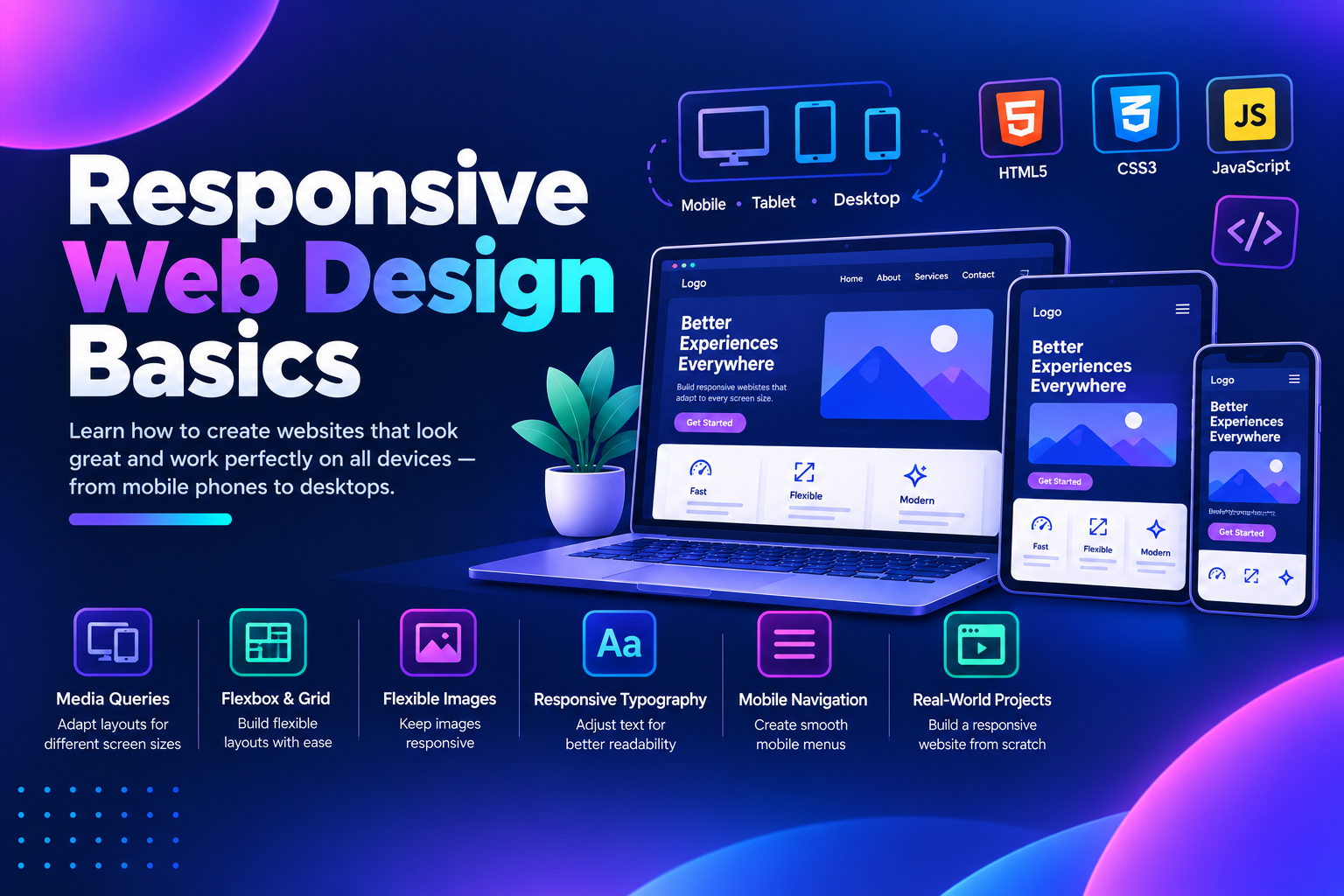
This programme covers responsive web design through live projects, small batches, and mentor-reviewed deliverables. You will build practical skills in HTML5, CSS3, mobile-first layouts, and Bootstrap, with dedicated placement support at the end.
Admissions open
Free demo class & counselling
Batch slots
Course overview
This Responsive Web Design Basics Course in Ludhiana is a structured programme covering front-end design, from HTML and CSS fundamentals through to mobile-first layouts and Bootstrap. The learning arc moves from foundations (HTML5, CSS3, Figma) to applied work (responsive grids, flexbox, media queries, Bootstrap) to a capstone project where you build and publish a complete responsive website. Students finish with a portfolio of module deliverables, a documented internship certificate, and interview readiness for junior Web Designer and Front-End Developer roles in the local market.
Curriculum
The syllabus is structured as a ladder, not a set of parallel tracks. Each plan builds on the previous one, and longer plans repeat the full module list of shorter plans before adding their own advanced modules. This means you can start at the level that matches your experience and progress upward without gaps.
The essential tools and semantic markup for building websites.
You finish with
A published, validated multi-page HTML site.
The fundamentals of styling a webpage with CSS.
You finish with
A fully styled HTML page.
Creating modern, flexible layouts using CSS.
You finish with
A complex page layout built with Flexbox and Grid.
Making websites look right on every screen size.
You finish with
A responsive landing page built from a Figma design.
Using a CSS framework to build responsive interfaces faster.
You finish with
A responsive business website built with Bootstrap 5.
Adding interactivity and behaviour to web pages.
You finish with
An interactive web page with dynamic elements.
Publishing a fast, search-friendly website.
You finish with
A complete responsive website deployed to production.
Every module includes hands-on practice on a real website or a real deliverable, not a slide demonstration.
What you learn
The Responsive Web Design Basics Course in Ludhiana at techcadd is designed to help students move from basic web concepts to building mobile-first, responsive websites.
Learn semantic HTML5, use Chrome DevTools, and publish a validated website using GitHub Pages.
Master CSS selectors, the box model, Google Fonts, and core styling to design clean interfaces.
Build modern, complex page layouts using Flexbox, CSS Grid, and positioning.
Use media queries, fluid grids, and responsive images to make sites look great on any device.
Use Bootstrap's grid, components, and utilities to build responsive interfaces faster.
Add dynamic behaviour to your pages using core JavaScript, DOM manipulation, and events.
Optimize for speed and SEO, deploy your site, and complete a full responsive web design capstone.
Tools you’ll work with
The objective is practical knowledge rather than memorised concepts — every module produces a portfolio-ready deliverable you can show to employers.
The case for it
A course is worth the time you give it only if you finish with work you can show and skills you can defend.
Learn semantic HTML5, use Chrome DevTools, and publish a validated website using GitHub Pages.
Master CSS selectors, the box model, Google Fonts, and core styling to design clean interfaces.
Create modern, complex page layouts using Flexbox, CSS Grid, and positioning.
Use media queries, fluid grids, and responsive images to make sites look right on every device.
Why this course
Six things we hold ourselves to for every Responsive Web Design Basics batch that starts in Ludhiana.
Every module produces a deliverable that goes into your portfolio, from a basic webpage to a full responsive website.
You work on live sites and real deliverables, not simulations or slide demonstrations.
Every project is reviewed by mentors who still work on client projects, not just teach.
Limited seats per batch ensure you get individual attention and feedback on your work.
Why TechCadd
What genuinely differs about this course at techcadd is that every module ends with a deliverable that goes into your portfolio, not a test score.
Your instructors are active front-end developers, not full-time trainers, so you learn what the industry actually uses.
You work on real websites with real constraints, not simulations or case studies.
Limited seats mean you get individual feedback on every deliverable.
With campuses in Ludhiana, Mohali, Chandigarh, Phagwara, Hoshiarpur, Amritsar, and Jalandhar, techcadd has a local presence and a track record of over 10,000 students trained.
Who can join
This course fits anyone who wants to build a career in front-end design but needs a structured path from fundamentals to job-ready skills.
You get a complete foundation in web design, starting with HTML and CSS and progressing to responsive layouts, with a portfolio you can show employers.
You can upskill in Flexbox, Grid, and Bootstrap through weekend batches, with deliverables that apply directly to your current work.
You start from the basics and build up to a capstone project, giving you a demonstrable skill set even if your background isn't in tech.
You learn to build custom responsive themes and fix layout issues on existing sites.
Not sure which of these you are, or whether the timing works around what you already do? That is exactly what the call is for. Ask about Responsive Web Design Basics
Technology ecosystem
Responsive Web Design Basics is the centre. These are the tools you use around it in a working team.
Hands-on projects
Each one lands in your portfolio with the working files, the process and something a reviewer can open.
Certification
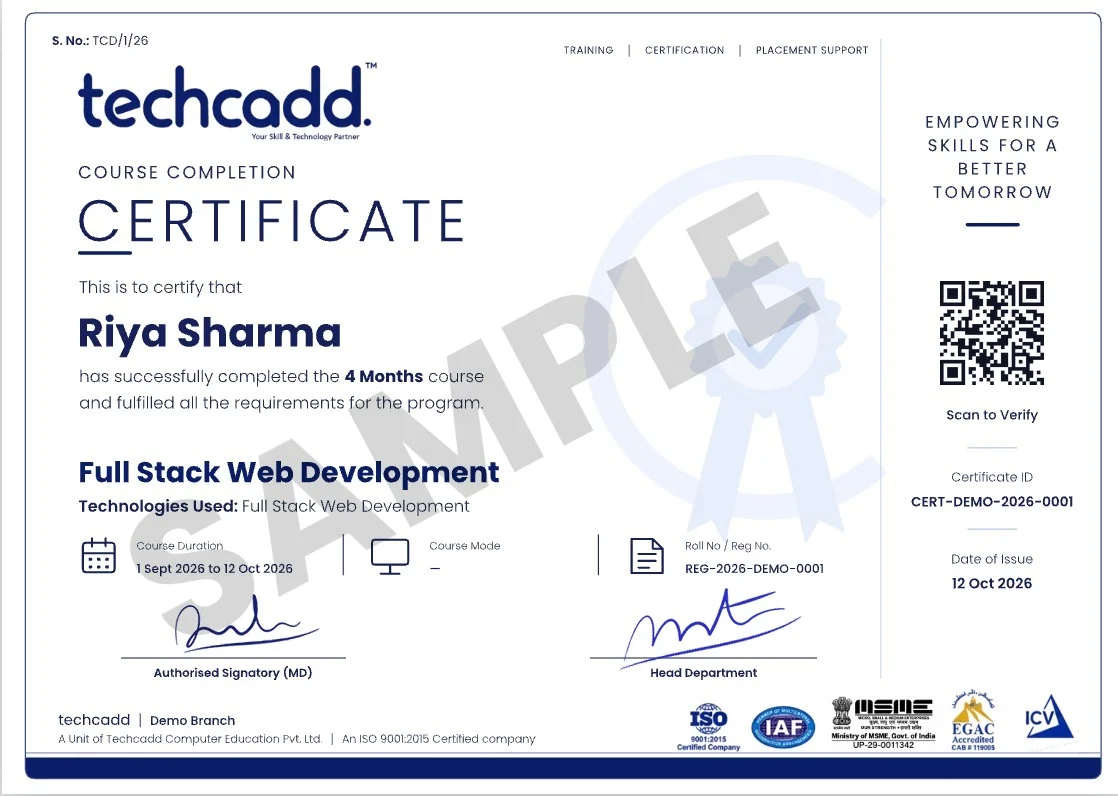
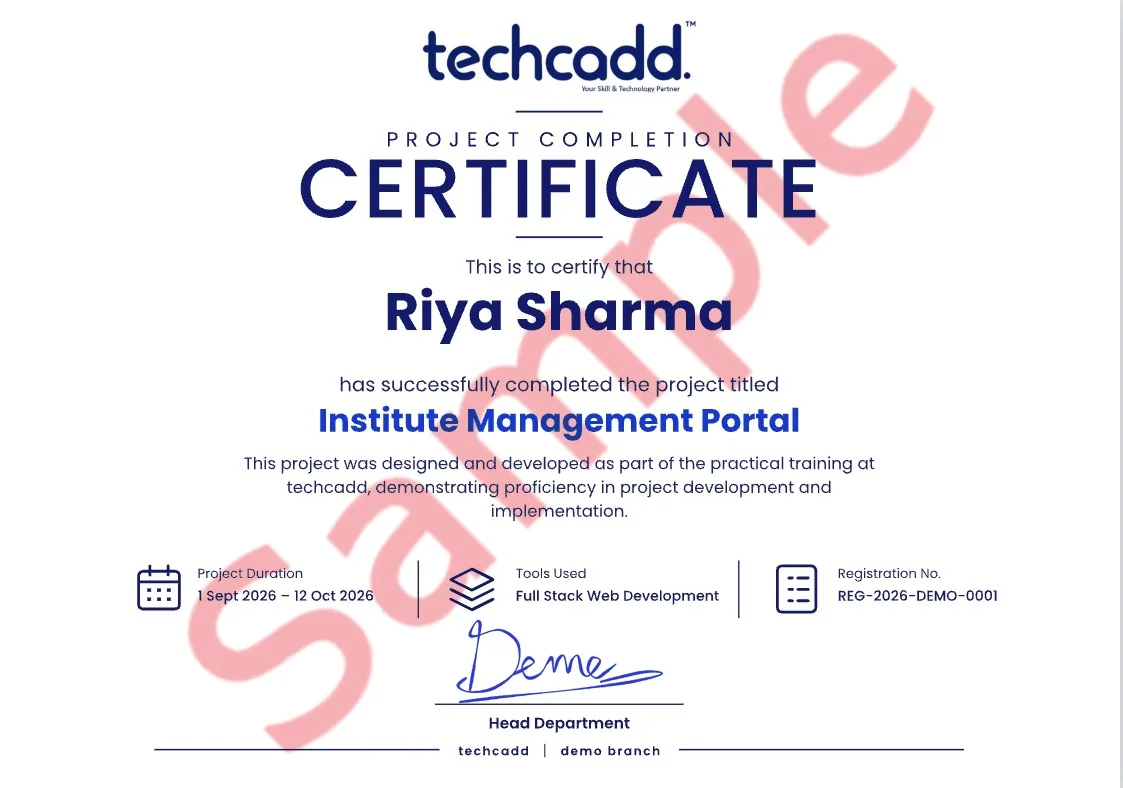
Finish the Responsive Web Design Basics programme at techcadd Ludhiana and you leave with more than a line on a CV — a verifiable certificate, and the project work that makes it mean something in an interview.
Issued in your name on completion of the Responsive Web Design Basics syllabus, with a reference number an employer can verify with us.
A separate certificate for the capstone you submit, naming the project so the work is attached to the credential.
Students who complete the live-project phase receive an internship letter covering the duration and the work delivered.
Every file, repository and deployed link stays yours — the part of the credential a reviewer can actually open.
techcadd has been training in Ludhiana since 2007. The certificate carries that record; the Responsive Web Design Basics work you did carries the rest.
Where it takes you
The route from your first module to the roles Responsive Web Design Basics opens — and the work that has to exist at each step.
Employers check your ability to build responsive, mobile-first websites that match a design.
Employers check your ability to build interactive interfaces with HTML, CSS, and JavaScript.
Employers check your ability to translate Figma designs into pixel-perfect layouts.
Employers check your ability to customize responsive WordPress themes.
Employers check your ability to build responsive HTML emails.
Salary outlook
Indicative ranges for the roles this course opens — what a fresher out of Ludhiana is offered, what the metro and remote markets pay for the same skills, and how that moves with two or three years of work behind you.
| Role | Ludhiana & Punjab | Delhi NCR & Bengaluru | Remote & freelance |
|---|---|---|---|
| Web DesignerEntry | ₹2.4–4.2 LPA | ₹4–8 LPA | ₹20k–45k / project |
| Front-End DeveloperEntry to mid | ₹3.6–6.5 LPA | ₹6.5–14 LPA | ₹35k–90k / project |
| UI DeveloperEntry to mid | ₹3.6–6.5 LPA | ₹6.5–14 LPA | ₹35k–90k / project |
| WordPress DeveloperMid | ₹3.6–6.5 LPA | ₹6.5–14 LPA | ₹35k–90k / project |
Ranges are indicative, drawn from what our own students report and from openings we see through the placement cell. Actual offers depend on your portfolio, the interview and the company — nobody can promise you a number, and we do not.
Web Designer, Front-End Developer, UI Developer, WordPress Developer and related positions, depending on which part of the syllabus you go deepest on.
The first jump usually comes at 18–24 months, once you have shipped work you can point to. Depth in one area moves it faster than breadth across many.
Yes, and a good number of our students do. Remote and contract work is the reason Ludhiana candidates now compete for the same briefs as metro ones — the portfolio travels, the address does not matter.
IT services, manufacturing and export units running automation, e-commerce and D2C brands, healthcare, education, and the agencies serving all of them. Punjab hiring is broader than it looks from a job board.
It helps with the practical half. The projects and tooling carry into an M.Tech, MCA or a specialisation abroad, and the portfolio is often what separates two applicants with the same marks.
Future scope
A course ends; the field does not. Here is the honest version of what the next few years look like for Responsive Web Design Basics — where the roles go, and what is shifting underneath them while you learn.
Entry roles such as Web Designer open as soon as you have projects that run. At this stage nobody is asking about your marks — they are asking you to walk through something you built.
The generalists plateau; the specialists do not. Depth in one part of Responsive Web Design Basics — the part your first job leans on hardest — is what moves you towards front-end developer work.
Architecture, standards, hiring and mentoring. The technical skill is assumed by now; what you are paid for is judgement, and judgement only comes from having shipped things that mattered.
Teams expect Responsive Web Design Basics work to be done alongside AI tooling. It raises the floor on output and raises the bar on what counts as a junior — which is exactly why the fundamentals in this course are taught the hard way.
What used to be one narrow role now touches data, deployment and the product decision behind it. Every extra layer of Responsive Web Design Basics you understand is another kind of room you get invited into.
Remote and hybrid hiring means Ludhiana, Jalandhar and Chandigarh candidates now compete for the same roles as Bengaluru ones. Location has stopped being the ceiling it used to be.
Hiring has moved to portfolios, take-home tasks and live problem solving. A certificate opens a shortlist; work that runs is what gets you through the round after it.
Sectors hiring for this skill set
The comparison
This comparison covers the key differences between techcadd's Responsive Web Design Basics Course and typical alternatives.
| What to ask about | techcadd | Typical institute |
|---|---|---|
| Live project work | Every module, from week one | Often only at the end, if at all |
| Batch size | Small, limited seats | Large, lecture-style batches |
| Mentor background | Active front-end developers who do client work | Full-time trainers, often not current practitioners |
| Deliverables | Portfolio-ready projects every module | Tests and certificates |
| Mobile-first focus | Built in from the first CSS module | Often taught as an afterthought |
Every comparison here is about substance, not marketing language.
Student Voices
Feedback from students who completed the Responsive Web Design Basics programme at techcadd Ludhiana.
Simranjeet Kaur
Responsive Web Design Basics / B.Sc. IT graduate
I joined with no background in this. By the third month I was building Responsive Web Design Basics work on my own, and the project reviews are where I actually learnt to do it properly.
Harman Sethi
Responsive Web Design Basics / Now working as an intern in the field
The classes are practical. Every session ends with a task that has to work, so you cannot fake understanding. That habit helped me most in interviews.
Ankit Verma
Responsive Web Design Basics / BCA final year
Doubt support was the difference for me. My trainer sat with my work, found the mistake and made me fix it myself instead of handing over the answer.
Navjot Singh
Responsive Web Design Basics / Career switch from operations
I came for the skill and left with a portfolio — projects I could actually demo on a call, not a certificate I had to explain.
Simranjeet Kaur
Responsive Web Design Basics / B.Sc. IT graduate
I joined with no background in this. By the third month I was building Responsive Web Design Basics work on my own, and the project reviews are where I actually learnt to do it properly.
Harman Sethi
Responsive Web Design Basics / Now working as an intern in the field
The classes are practical. Every session ends with a task that has to work, so you cannot fake understanding. That habit helped me most in interviews.
Ankit Verma
Responsive Web Design Basics / BCA final year
Doubt support was the difference for me. My trainer sat with my work, found the mistake and made me fix it myself instead of handing over the answer.
Navjot Singh
Responsive Web Design Basics / Career switch from operations
I came for the skill and left with a portfolio — projects I could actually demo on a call, not a certificate I had to explain.
Simranjeet Kaur
Responsive Web Design Basics / B.Sc. IT graduate
I joined with no background in this. By the third month I was building Responsive Web Design Basics work on my own, and the project reviews are where I actually learnt to do it properly.
Harman Sethi
Responsive Web Design Basics / Now working as an intern in the field
The classes are practical. Every session ends with a task that has to work, so you cannot fake understanding. That habit helped me most in interviews.
Ankit Verma
Responsive Web Design Basics / BCA final year
Doubt support was the difference for me. My trainer sat with my work, found the mistake and made me fix it myself instead of handing over the answer.
Navjot Singh
Responsive Web Design Basics / Career switch from operations
I came for the skill and left with a portfolio — projects I could actually demo on a call, not a certificate I had to explain.
Real, unedited feedback from techcadd learners on Google.
Frequently asked questions
The 7 things people ask most often about the Responsive Web Design Basics course at techcadd Ludhiana.
The complete Responsive Web Design Basics programme runs for 3,6 or 9 months depending on the batch you choose. Weekday, weekend and fast-track options are available, along with shorter modules for students who only need the fundamentals.
School students after 12th, college students from any stream, graduates and working professionals changing track. The first module assumes no prior experience.
No. The course starts from the basics. If you already have some background, your trainer will move you faster through the first module so you reach the project work sooner.
HTML5, CSS3, Bootstrap5, Figma, VS Code, Chrome DevTools, Github Pages, CSS Grid Generator, Google Fonts and font Awesome — plus the day-to-day tooling and workflow that surrounds them in a real team.
Yes. Each module closes with a lab project, and the course ends with a capstone you can put on your portfolio and defend in an interview.
Placement support includes resume and portfolio review, aptitude and role-specific practice, mock interviews and interview referrals through our hiring network.
Yes. You receive a techcadd Responsive Web Design Basics completion certificate, and a separate project certificate for the capstone you submit.
Next batch
Send this form and a counsellor calls you back about this course specifically — batch dates, fees and whether it fits what you already know.
Would rather talk now? +91 98881 22667
Ready to get started?
Talk to a counsellor today. One call is usually enough to know which track fits your degree, your schedule and the job you want.
Call now+91 98881 22667