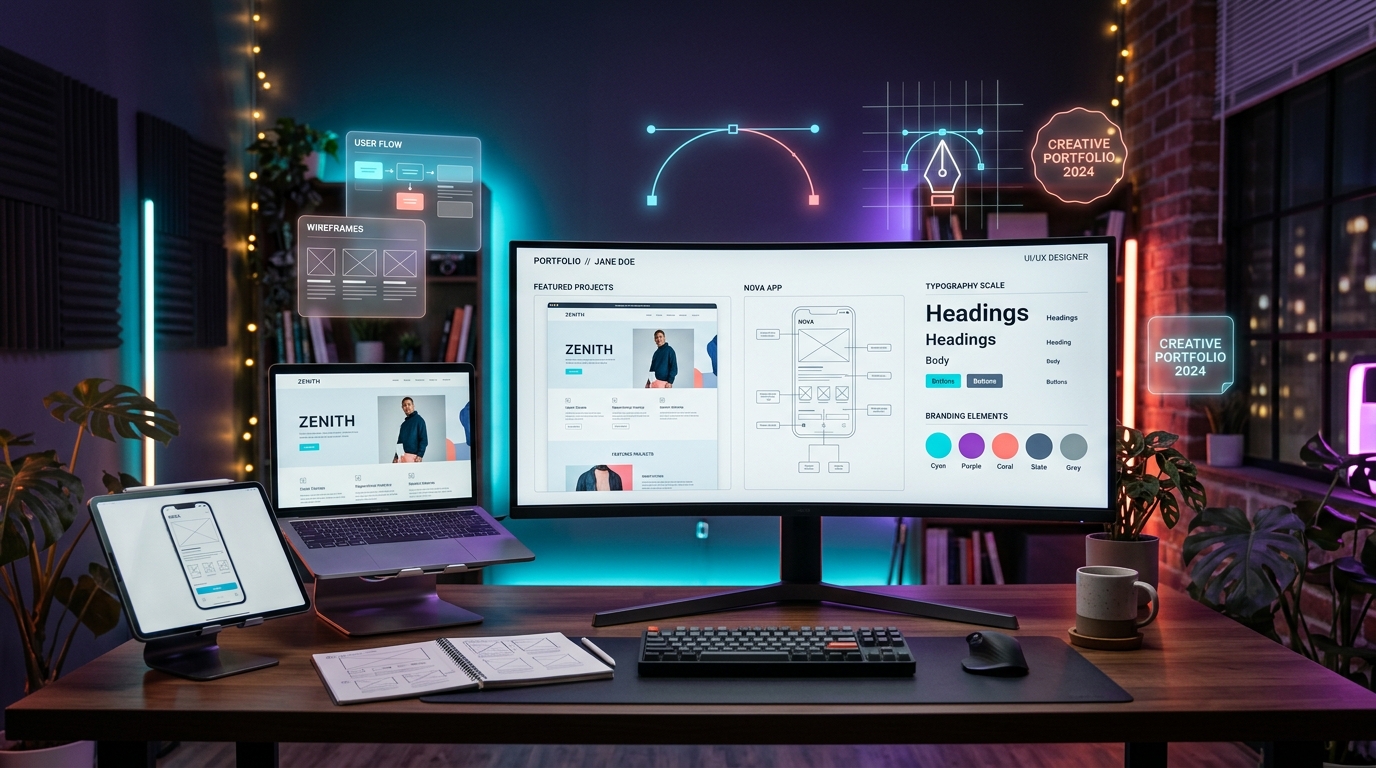
A web designing portfolio is one of the most effective ways to demonstrate your creativity, technical knowledge, and ability to create attractive, user-friendly websites. Whether you are a beginner, a freelance web designer, a student, or an experienced professional, a well-structured portfolio can help people understand your design approach and evaluate the quality of your work.
Instead of simply listing the tools you know, a portfolio allows you to present actual projects, explain your design decisions, and show how you solve user problems. This guide explains how to build a web designing portfolio from scratch, choose the right projects, present your skills, and create a professional online presence.
What Is a Web Designing Portfolio?
A web designing portfolio is a collection of design projects that demonstrates your ability to plan and create website interfaces. It may include website layouts, landing pages, responsive designs, UI/UX case studies, prototypes, and completed client projects.
A portfolio can be a personal website, an online case-study collection, or a curated presentation hosted on a design platform. The best format depends on your goals, target audience, and the type of work you want to showcase.
Why Is a Web Designing Portfolio Important?
1. Demonstrates Your Practical Skills
A portfolio shows how you apply design principles in real situations. Visitors can review your typography, colour choices, spacing, visual hierarchy, navigation, and responsive layouts instead of relying only on a list of skills.
2. Helps You Stand Out
A thoughtfully presented portfolio gives potential employers and clients a clearer understanding of your design style, project experience, and problem-solving approach. Clear case studies can make your work easier to evaluate.
3. Supports Freelance Opportunities
Freelance clients often want to see examples of work before discussing a project. Your portfolio can demonstrate relevant experience with business websites, landing pages, e-commerce stores, or redesigns.
4. Shows Your Design Process
Good design involves more than making a page look attractive. Case studies can explain the original problem, audience needs, wireframes, design iterations, responsive decisions, and final outcome.
5. Helps You Track Your Progress
Updating your portfolio gives you an opportunity to compare older and newer projects, identify weaknesses, and demonstrate how your design skills have improved over time.
Essential Sections of a Web Designing Portfolio
1. Homepage
Your homepage should quickly communicate who you are, what you do, and what visitors can explore. Use a clear headline, a short introduction, a featured project, and an obvious link to your work.
Example headline: Designing clean, accessible, and responsive digital experiences for modern businesses.
2. About Me
Introduce yourself, describe your design interests, and explain the types of projects you enjoy. Keep the information relevant to your professional goals and avoid unnecessary personal details.
You can mention your experience with UI design, responsive layouts, wireframing, prototyping, or frontend collaboration, provided these accurately reflect your skills.
3. Featured Projects
Your projects are the most important part of your portfolio. Select work that demonstrates different skills and is relevant to the opportunities you want.
For each project, consider including:
- Project title and category.
- The problem or design objective.
- Target audience and user needs.
- Your role and responsibilities.
- Wireframes, mockups, or prototypes.
- Design choices and reasoning.
- Responsive layouts or final screenshots.
- Tools and technologies used.
- Results, if they were actually measured.
4. Skills and Tools
List the design tools and practical skills you can confidently use. These may include Figma, Adobe Photoshop, Adobe Illustrator, HTML, CSS, responsive design, prototyping, accessibility, and basic user research.
Only list tools and technologies you understand well enough to discuss or demonstrate.
5. Design Process
Explain how you approach a design problem. A simple process might include understanding the brief, researching users, creating wireframes, exploring visual directions, prototyping, testing, and refining the design.
6. Contact Information
Make it easy for visitors to contact you. Include a professional email address and relevant professional profile links. A contact form can be useful if it works reliably and collects only necessary information.
10 Web Designing Portfolio Project Ideas
1. Personal Portfolio Website
Design a responsive personal website featuring an introduction, skills, projects, and contact details. Focus on visual consistency, readability, navigation, and mobile layouts.
Skills demonstrated: Layout design, typography, colour systems, responsive design, and content hierarchy.
2. Business Website
Create a website for a fictional or real local business, such as a restaurant, consultancy, salon, or technology service. Include service information, testimonials where legitimately available, and a clear contact action.
Skills demonstrated: Business-focused design, navigation, information architecture, and calls to action.
3. E-commerce Homepage
Design an online store homepage with product categories, featured products, promotional sections, and a consistent visual system. Add product detail and cart screens for a more complete case study.
Skills demonstrated: Product presentation, reusable components, visual hierarchy, and shopping-flow design.
4. SaaS Dashboard
Create a dashboard for a fictional productivity, finance, or project-management application. Include navigation, summary cards, tables, filters, and data visualizations.
Skills demonstrated: Information density, dashboard layouts, consistency, accessibility, and data presentation.
5. Restaurant Website
Build a restaurant website with a menu, opening information, location details, and a reservation or enquiry flow. Ensure the design works well on mobile devices.
Skills demonstrated: Content organization, mobile-first design, image selection, and user journeys.
6. Mobile App UI Concept
Create a set of mobile screens for a fitness app, travel planner, learning app, or expense tracker. Present the navigation flow and show how the interface responds to common user actions.
Skills demonstrated: UI components, mobile navigation, prototyping, and interaction design.
7. Landing Page Redesign
Choose a fictional product or an existing page that you have permission to redesign. Explain the design problem and present the revised layout with clear reasoning. Do not imply that an independent concept was commissioned by the original company.
Skills demonstrated: Conversion-focused layout, messaging hierarchy, visual consistency, and design critique.
8. Educational Website
Design a website for an online course platform or educational institution. Include course cards, subject categories, learning information, and a clear registration journey.
Skills demonstrated: Information architecture, content-heavy layouts, search or filtering concepts, and accessibility.
9. Travel Website
Create a travel website with destination cards, trip details, search filters, and an itinerary page. Use consistent imagery and clear navigation to help users compare options.
Skills demonstrated: Visual storytelling, image treatment, card layouts, and user-flow planning.
10. Accessibility-Focused Redesign
Improve a sample interface by checking colour contrast, keyboard navigation, focus indicators, text readability, form labels, and responsive behaviour. Document the problems found and the improvements made.
Skills demonstrated: Accessibility awareness, usability evaluation, design consistency, and problem-solving.
Which Tools Should You Use to Build Your Portfolio?
| Tool | Primary purpose |
|---|---|
| Figma | Wireframes, interface design, interactive prototypes, and reusable components. |
| Adobe Photoshop | Image editing, visual assets, and photo composition. |
| Adobe Illustrator | Vector graphics, icons, and scalable illustrations. |
| HTML and CSS | Building and styling web pages. |
| JavaScript | Adding interactive behaviour to websites. |
| Git and GitHub | Tracking code changes and sharing development projects. |
| Web hosting platform | Publishing a live portfolio website. |
You do not need to learn every tool before starting. Figma is a useful starting point for interface design, while HTML and CSS help you turn designs into working web pages. Choose tools based on the type of work you want to showcase.
How to Create a Web Designing Portfolio Step by Step
- Define your goal: Decide whether the portfolio is intended for employment, freelancing, internships, or personal branding.
- Identify your audience: Consider what potential employers or clients need to understand about your skills.
- Select your best projects: Choose a small collection that demonstrates different strengths instead of including every exercise you have completed.
- Write project case studies: Explain the challenge, your role, your process, and the design decisions you made.
- Create a consistent visual identity: Use a limited colour palette, readable typography, consistent spacing, and reusable components.
- Build responsive layouts: Make sure important content and interactions work on mobile, tablet, and desktop screens.
- Test usability and accessibility: Check navigation, contrast, text size, keyboard interactions, forms, and error messages.
- Publish your portfolio: Choose a suitable portfolio platform or build a custom website. Test all links before sharing it.
- Request feedback: Ask designers, developers, or trusted reviewers to identify confusing content and visual issues.
- Update regularly: Replace weaker work with stronger projects and revise your skills as you learn.
What Makes a Web Design Portfolio Stand Out?
Clear Project Storytelling
Explain why the project exists, who it serves, and how your design decisions address the requirements. A collection of screenshots without context makes it harder to understand your contribution.
Consistent Visual Design
Use a consistent system for typography, spacing, colour, buttons, and cards. Consistency helps visitors focus on the work instead of adjusting to a different visual style on every page.
Responsive and Accessible Interfaces
Show how your layouts adapt to different screens. Use readable text, suitable contrast, meaningful headings, keyboard-friendly interactions, and clear form labels.
Realistic Project Details
Describe your role accurately. If a project was created for practice, label it as a concept or personal project. If you collaborated with others, explain which parts you contributed.
Evidence of Results
When you have reliable measurements, you can report outcomes such as task completion, performance improvements, or user feedback. Do not invent conversion increases, client testimonials, or business results to make a project look more impressive.
Common Web Designing Portfolio Mistakes
- Including too many weak projects: Curate the portfolio and prioritize work that demonstrates your best skills.
- Using cluttered layouts: Give each project enough space and keep navigation straightforward.
- Ignoring mobile users: Test responsive behaviour rather than assuming a desktop layout will work everywhere.
- Showing only final screenshots: Include wireframes, iterations, or a short case study when they help explain your decisions.
- Making unsupported claims: Clearly distinguish practice projects from paid client work and use only verifiable results.
- Forgetting accessibility: Check contrast, keyboard access, labels, and readable content.
- Leaving broken links: Test project links, contact details, and external profiles before sharing your portfolio.
- Failing to update: Review the portfolio periodically and remove outdated or unfinished work that no longer represents your abilities.
Web Designing Portfolio vs Web Development Portfolio
| Aspect | Web Designing Portfolio | Web Development Portfolio |
|---|---|---|
| Main focus | Visual design, UI/UX, layouts, and user experience. | Working websites, code quality, functionality, and technical implementation. |
| Typical evidence | Wireframes, mockups, prototypes, and design case studies. | Live websites, source code, APIs, testing, and deployment. |
| Common tools | Figma, Photoshop, Illustrator, prototyping tools. | HTML, CSS, JavaScript, frameworks, Git, and development tools. |
| Key questions | Is the design clear, accessible, and easy to use? | Does the application work reliably, securely, and efficiently? |
There is overlap between the two fields. A web designer who also understands HTML and CSS can communicate design decisions more effectively with developers, while a developer with design awareness can build more usable interfaces.
How to Present a Portfolio for Jobs and Freelance Work
For job applications, make it easy for a reviewer to find your strongest projects, understand your role, and assess the skills relevant to the position. Link to live work or prototypes where possible, and keep the project descriptions concise but informative.
For freelance work, showcase projects similar to the services you want to sell. A designer targeting small businesses might feature business websites, service pages, landing pages, and mobile-friendly contact flows. Explain your deliverables and scope clearly so potential clients understand what you offer.
For beginners with limited experience, concept projects are acceptable when labelled honestly. Focus on demonstrating your process, design reasoning, and ability to create a complete, polished experience.
Learning Web Designing in Ludhiana
Students, graduates, and working professionals in Ludhiana who want to learn web designing can compare training programs based on practical UI/UX assignments, wireframing, prototyping, responsive design, accessibility, and portfolio development.
Before enrolling in a web designing course in Ludhiana, check whether the curriculum includes complete design projects and feedback on your work. If you also want to implement designs in code, look for relevant HTML and CSS practice. Ask how the course helps you prepare case studies and present projects professionally.
You can also build a portfolio independently by choosing a small project, documenting the design process, creating desktop and mobile layouts, testing usability, and publishing the finished work. Consistent practice and thoughtful project presentation can help you demonstrate your progress.
Frequently Asked Questions
What should a web designing portfolio include?
A web designing portfolio should include an introduction, selected projects, project case studies, design skills, relevant tools, and contact information. Depending on your goals, you can also include prototypes, wireframes, responsive layouts, and a short design-process overview.
How many projects should I include in my portfolio?
Start with around three to six strong projects if you have enough suitable work. Quality and relevance matter more than quantity, so choose projects that demonstrate different skills and explain them clearly.
Can beginners create a web design portfolio without client projects?
Yes. Beginners can create personal projects, fictional business websites, redesign concepts, and practice case studies. Label them honestly and explain the problem, process, and design decisions.
Which tool is best for creating a web designing portfolio?
Figma is useful for UI design, wireframes, and prototypes. You can present projects on a portfolio platform or build a custom website using HTML and CSS, optionally adding JavaScript for interactions.
Do I need coding skills to become a web designer?
Coding is not required for every web design role, but understanding HTML and CSS can help you create more realistic designs and collaborate with developers. The requirements depend on the role and the services you want to provide.
How can I make my portfolio look professional?
Use consistent typography and spacing, choose relevant projects, explain your process, ensure mobile responsiveness, test accessibility, and remove broken links. Present your role and project outcomes accurately.
Should I include redesign concepts of existing websites?
Yes, a redesign concept can demonstrate design skills when clearly labelled as an independent concept. Avoid suggesting that the original organization commissioned or approved the work unless that is true.
How can I create a web designing portfolio in Ludhiana?
You can build a portfolio independently or explore web designing training programs in Ludhiana. Look for opportunities to practise UI/UX design, responsive layouts, prototypes, case studies, and professional project presentation.
Conclusion
A strong web designing portfolio is more than a gallery of attractive screens. It demonstrates your ability to understand a problem, make thoughtful design decisions, create usable interfaces, and communicate your work clearly.
Start with a few focused projects, document your design process, test responsive layouts, and present your work honestly. Whether you are applying for jobs, seeking freelance clients, or exploring web designing training in Ludhiana, a well-organized portfolio can help others understand your skills and see how you approach real design challenges.