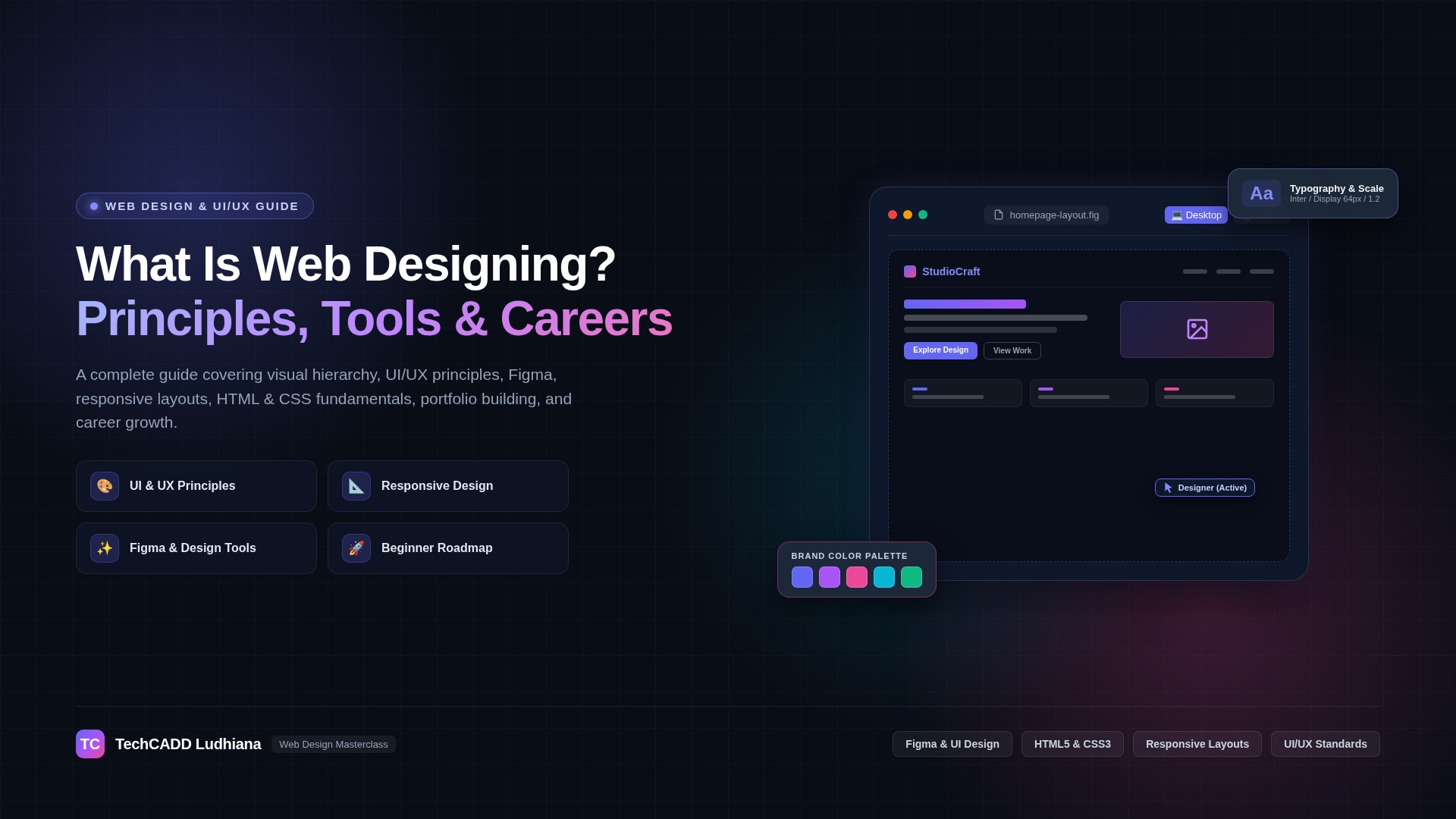
What Is Web Designing? Complete Guide for Beginners
Web designing is the process of planning and creating the visual appearance, layout, structure, and user experience of a website. It involves selecting colours, typography, images, spacing, navigation, and page layouts to make websites attractive, accessible, easy to use, and suitable for different devices.
A well-designed website helps visitors understand a business, find information, explore products, and complete actions such as submitting an enquiry or making a purchase. Whether you want to create a business website, portfolio, blog, or online store, learning web designing can help you build a strong digital presence.
This complete guide explains what web designing means, its major elements, the difference between web designing and web development, useful tools, essential skills, career opportunities, and how beginners can start learning web design in Ludhiana and beyond.
What Is Web Designing?
Web designing refers to designing the visual and interactive experience of a website. It combines creativity, layout planning, typography, colour theory, usability, and responsive design to create a consistent experience for website visitors.
Web designers consider questions such as:
- Can visitors understand the website's purpose quickly?
- Is the navigation clear and easy to use?
- Are headings, buttons, and important information easy to find?
- Does the website work well on mobile phones, tablets, and desktops?
- Are colours, fonts, images, and spacing visually consistent?
- Can people with different abilities access and use the website?
Web designing can involve visual design tools as well as HTML and CSS, depending on the role and project. Designers may work closely with developers, content writers, marketers, and business owners to turn requirements into a usable website.
Why Is Web Designing Important?
A website is often one of the first places people visit when researching a company, service, product, or professional. Good web design supports trust, usability, and clear communication.
- Creates a strong first impression: A professional layout helps visitors understand the business and its offering.
- Improves user experience: Clear navigation and readable content make information easier to find.
- Supports mobile users: Responsive layouts adapt to different screen sizes.
- Encourages conversions: Well-placed calls to action help visitors complete relevant tasks.
- Strengthens brand identity: Consistent colours, typography, imagery, and tone support brand recognition.
- Supports SEO: Good structure, accessibility, mobile usability, and performance can contribute to a better website experience.
- Improves accessibility: Thoughtful design helps more people use a website successfully.
Key Elements of Web Designing
1. Layout and Structure
Layout determines how text, images, navigation, buttons, and other elements are arranged on a page. A clear hierarchy helps visitors identify the most important information first.
Common layout patterns include grid-based layouts, split-screen sections, single-column pages, card layouts, and structured landing pages. The right layout depends on the website's purpose and content.
2. Colour Theory
Colours influence visual hierarchy, brand identity, contrast, and readability. A website may use a primary brand colour, secondary colours, neutral backgrounds, and accent colours for important actions.
Choose colour combinations that maintain sufficient contrast between text and backgrounds. Do not rely on colour alone to communicate important information, such as errors or success states.
3. Typography
Typography involves choosing fonts, font sizes, line heights, spacing, and text weights. Good typography makes content easier to scan and read across devices.
Use a consistent type scale for headings, body text, captions, and buttons. Keep body text comfortably readable and avoid using too many font families or decorative styles.
4. Images and Visual Elements
Images, illustrations, icons, and graphics help explain ideas and communicate brand personality. Use relevant, high-quality visuals that support the page's purpose.
Optimize image dimensions and file sizes to avoid unnecessary loading delays. Provide meaningful alternative text for informative images and appropriate empty alternative text for decorative images.
5. Navigation and User Flow
Navigation helps visitors move between pages and find important information. Menus, breadcrumbs, links, search functions, and clearly labelled buttons can improve usability.
Keep navigation predictable and organize related pages into logical groups. Important actions should be easy to identify without overwhelming the visitor with too many choices.
6. Responsive Design
Responsive web design allows a website's layout to adapt to different screen sizes and device capabilities. A responsive page may rearrange columns, resize images, adjust spacing, and change navigation behaviour on smaller screens.
CSS media queries, flexible grids, relative units, and responsive images are commonly used to create layouts that work across phones, tablets, and desktops.
7. User Interface and User Experience
User interface (UI) design focuses on the visual and interactive components people use, such as buttons, menus, forms, and cards. User experience (UX) design considers the complete experience of using a product, including user needs, task completion, accessibility, and usability.
UI and UX are related but not identical. Strong visual design should support the user's goals rather than make the website attractive at the expense of usability.
Types of Web Designing
| Type | Main purpose | Common examples |
|---|---|---|
| Business website design | Present a company, its services, and contact information | Company websites and service pages |
| E-commerce design | Help customers discover and purchase products | Online stores and product pages |
| Portfolio design | Showcase skills, work samples, and achievements | Designer and developer portfolios |
| Blog and editorial design | Make articles and resources easy to read and explore | Blogs, magazines, and learning websites |
| Landing page design | Guide visitors toward a specific action | Campaign pages and enquiry pages |
| Dashboard design | Present information, controls, and data clearly | Admin panels and analytics dashboards |
| Educational website design | Help learners access courses and resources | Training websites and learning portals |
| Web application interface design | Support interactive tasks and workflows | Booking systems and productivity applications |
Web Designing vs Web Development
Web designing and web development work together, but they focus on different aspects of a website.
| Aspect | Web designing | Web development |
|---|---|---|
| Primary focus | Visual appearance, layout, usability, and interaction design | Building website functionality and technical systems |
| Typical activities | Wireframes, prototypes, typography, colours, and responsive layouts | Writing frontend and backend code, APIs, database logic, and integrations |
| Common tools | Figma, Adobe tools, design systems, and browser previews | Code editors, frameworks, testing tools, and development environments |
| Key skills | Visual hierarchy, usability, design principles, and accessibility | Programming, debugging, data handling, and software architecture |
| Typical output | Design concepts, wireframes, prototypes, and interface specifications | Working websites and web applications |
The distinction is not absolute. Some web designers also write HTML and CSS, and frontend developers often work closely with design systems and user experience requirements.
Tools Used in Web Designing
Web designers use different tools depending on whether they are planning interfaces, creating visual assets, writing code, or testing the finished website.
- Figma: Create wireframes, interface designs, prototypes, and reusable design components.
- Adobe Photoshop: Edit images and prepare visual assets.
- Adobe Illustrator: Create vector illustrations, icons, and scalable graphics.
- Canva: Prepare simple graphics and visual assets for web content.
- Visual Studio Code: Write and edit HTML, CSS, and JavaScript when designing directly in code.
- Browser developer tools: Inspect page layouts, test responsive behaviour, and troubleshoot visual issues.
- WordPress: Build and manage websites using themes, page builders, and plugins.
- Web accessibility testing tools: Identify potential accessibility problems and improve usability.
You do not need to learn every tool at once. Beginners can start with Figma for design planning, HTML and CSS for basic implementation, and browser developer tools for testing.
HTML and CSS in Web Designing
HTML and CSS are foundational technologies for building web pages. HTML defines the page's structure and content, while CSS controls visual presentation, layout, typography, spacing, and responsive behaviour.
For example, HTML can define a heading, paragraph, and button. CSS can style the heading, create spacing around the paragraph, and give the button a consistent appearance.
JavaScript adds interactivity, such as opening menus, validating forms, updating page content, or controlling interactive components. A designer who understands these technologies can communicate more effectively with developers and may be able to implement designs directly.
Principles of Good Web Design
- Visual hierarchy: Use size, contrast, spacing, and placement to guide attention.
- Consistency: Apply consistent colours, typography, buttons, and component styles.
- Simplicity: Remove unnecessary elements that distract from the main purpose.
- Alignment: Arrange elements in a clear, organized structure.
- Contrast: Make important elements and text easy to distinguish.
- Accessibility: Consider keyboard navigation, readable text, meaningful labels, and sufficient contrast.
- Responsive behaviour: Ensure that layouts work on small and large screens.
- Performance awareness: Avoid oversized assets and unnecessary visual effects that slow down the page.
- Clear calls to action: Use descriptive labels that tell visitors what will happen next.
Step-by-Step Web Designing Process
A structured design process helps turn a business requirement into a website that serves its intended audience.
- Understand the purpose: Identify the business goals, target audience, required pages, and primary actions.
- Research the audience: Understand user needs, common questions, and expectations.
- Plan the site structure: Organize pages and define the navigation hierarchy.
- Create wireframes: Sketch page layouts before focusing on colours and decorative details.
- Develop the visual design: Choose typography, colour palettes, spacing, imagery, and components.
- Build a prototype: Link key screens or interactions to demonstrate how the website will work.
- Review accessibility and responsiveness: Check readability, contrast, keyboard usability, and mobile layouts.
- Implement the design: Work with developers or use suitable website-building tools to create the website.
- Test across devices: Review navigation, forms, images, links, and page behaviour in different browsers and screen sizes.
- Improve after feedback: Fix issues and refine the experience based on testing and user feedback.
How to Learn Web Designing as a Beginner
If you are starting from zero, follow a learning path that balances design fundamentals with practical implementation.
- Learn design fundamentals: Study colour theory, typography, spacing, alignment, composition, and visual hierarchy.
- Understand UI and UX: Learn about user needs, wireframes, prototypes, navigation, and usability testing.
- Practise with Figma: Design a simple homepage and create reusable buttons, cards, and navigation components.
- Learn HTML: Build a basic page with headings, paragraphs, images, links, and forms.
- Learn CSS: Practise layouts, Flexbox, Grid, typography, spacing, and media queries.
- Explore JavaScript basics: Learn how to add simple interactions to your pages.
- Build responsive projects: Test your designs on mobile, tablet, and desktop layouts.
- Study accessibility and performance: Make pages usable and avoid unnecessarily large assets.
- Create a portfolio: Document your process and show before-and-after improvements.
- Ask for feedback: Refine your designs based on usability, consistency, and clarity.
Web Designing Projects for Beginners
Practical projects help you apply design concepts and demonstrate your skills. Start with a small scope and gradually add complexity.
1. Personal Portfolio Website
Create a website introducing yourself, displaying selected projects, listing your skills, and providing contact information. Focus on clear navigation, readable content, and consistent visual design.
2. Business Homepage
Design a homepage for a fictional business with a hero section, service cards, customer information, testimonials, and a clear call to action. Practise visual hierarchy and content organization.
3. E-commerce Product Page
Create a product page with product images, descriptions, price information, selectable options, and a purchase button. Focus on accessibility, responsive layout, and a clear buying journey.
4. Course Landing Page
Design a landing page for an educational course with a course overview, learning outcomes, curriculum, instructor information, FAQs, and an enquiry form.
5. Dashboard Interface
Design a dashboard with summary cards, a data table, filters, navigation, and charts based on sample data. Keep the layout organized and ensure important information is easy to scan.
For each project, include screenshots, design decisions, responsive versions, and a brief explanation of the problem you aimed to solve.
Career Opportunities in Web Designing
Web designing skills can support several career paths, depending on your interests and technical abilities.
- Web Designer: creates layouts and visual experiences for websites.
- UI Designer: focuses on interface components, visual consistency, and interaction states.
- UX Designer: researches user needs and improves task flows and usability.
- UI/UX Designer: works across interface design and user experience activities.
- Web Design and WordPress Specialist: creates and manages websites using content management systems.
- Frontend Developer: implements designs using HTML, CSS, JavaScript, and relevant frameworks.
- Freelance Web Designer: works with clients on website layouts, landing pages, and redesigns.
- Product Designer: contributes to the design of digital products and interactive applications.
Role expectations vary. Some jobs focus on visual design, while others require coding, user research, prototyping, or experience working with design systems.
How to Build a Web Design Portfolio
A portfolio demonstrates how you approach design problems and present your work. You can create one even before working with real clients.
- Include three to five well-developed projects rather than many unfinished designs.
- Explain the goal, target audience, and design decisions for each project.
- Show wireframes, prototypes, and final designs where appropriate.
- Include responsive layouts for desktop and mobile.
- Explain how you considered accessibility and usability.
- Identify fictional or self-initiated projects clearly instead of presenting them as paid client work.
- Keep the portfolio itself visually consistent, easy to navigate, and quick to load.
Web Designing and SEO: How They Work Together
Web design and search engine optimization serve different purposes, but they can support each other. Search engines need to discover and understand useful content, while visitors need a clear and accessible experience.
Design choices that can support an effective website include:
- Logical page structure and meaningful headings.
- Readable text and clear navigation.
- Responsive layouts that work on mobile devices.
- Optimized images and efficient page assets.
- Descriptive links and useful page titles.
- Accessible forms and understandable calls to action.
- Content that directly answers the visitor's questions.
Visual design alone does not guarantee high search rankings. Search visibility also depends on content quality, technical implementation, relevance, competition, and other factors.
Web Designing in Ludhiana, Punjab
Students, graduates, business owners, and aspiring designers in Ludhiana can learn web designing through self-study, online training, or classroom programs. The right option depends on your schedule, learning preferences, budget, and whether you want to focus on visual design, WordPress, or coding-based implementation.
When comparing web designing courses in Ludhiana, check whether the syllabus covers design principles, Figma or similar tools, HTML, CSS, responsive design, accessibility, and practical projects. Ask to see sample student work and clarify whether the program includes portfolio feedback.
Useful searches include web designing course in Ludhiana, UI/UX design training in Punjab, and web design training for beginners. Compare course details and project quality rather than relying only on promotional claims or guaranteed employment promises.
Frequently Asked Questions
What is web designing in simple words?
Web designing is the process of planning how a website looks and how people interact with it. It includes layouts, colours, fonts, images, navigation, and responsive behaviour.
Is web designing the same as web development?
No. Web designing mainly focuses on the website's visual presentation and user experience, while web development focuses on implementing website functionality. Some professionals work across both areas.
Do I need coding to learn web designing?
You can begin learning visual web design without coding by using design tools such as Figma. HTML and CSS are valuable for implementing designs, and JavaScript helps create interactive behaviour.
Which tools are best for beginners in web designing?
Figma is useful for wireframes and interface prototypes. HTML, CSS, Visual Studio Code, and browser developer tools are useful when you want to build and test designs directly in a browser.
How long does it take to learn web designing?
The learning time depends on your starting point, practice schedule, and goals. You can learn basic design principles and create simple pages first, then develop stronger skills through responsive projects, usability testing, and portfolio work.
Can I get a job after learning web designing?
Web designing can lead to roles such as web designer, UI designer, WordPress specialist, or frontend developer, depending on your skills. Employment depends on your portfolio, practical ability, communication, experience, and employer requirements.
What should I include in a web design portfolio?
Include a few polished projects, explain the problem and design decisions, show responsive layouts, and demonstrate your understanding of usability and accessibility. Clearly identify practice projects and fictional briefs.
Where can I learn web designing in Ludhiana?
Compare local classroom courses, online programs, and self-study options. Review the syllabus, practical projects, tools taught, trainer feedback, fees, and portfolio support before choosing a program.
Conclusion
Web designing combines creativity, visual communication, usability, and technical understanding to create effective websites. From choosing colours and typography to planning navigation and testing responsive layouts, every design decision should support the needs of the website's audience.
Beginners can start with design fundamentals and Figma, then learn HTML and CSS to implement responsive pages. By building practical projects, collecting feedback, and developing a strong portfolio, you can prepare for opportunities in web design, UI/UX design, WordPress development, and frontend development.
If you are exploring web designing training in Ludhiana, choose a learning path that combines clear fundamentals, hands-on practice, and portfolio development.